PARTS LOCATION
ILLUSTRATION
.png)
ILLUSTRATION
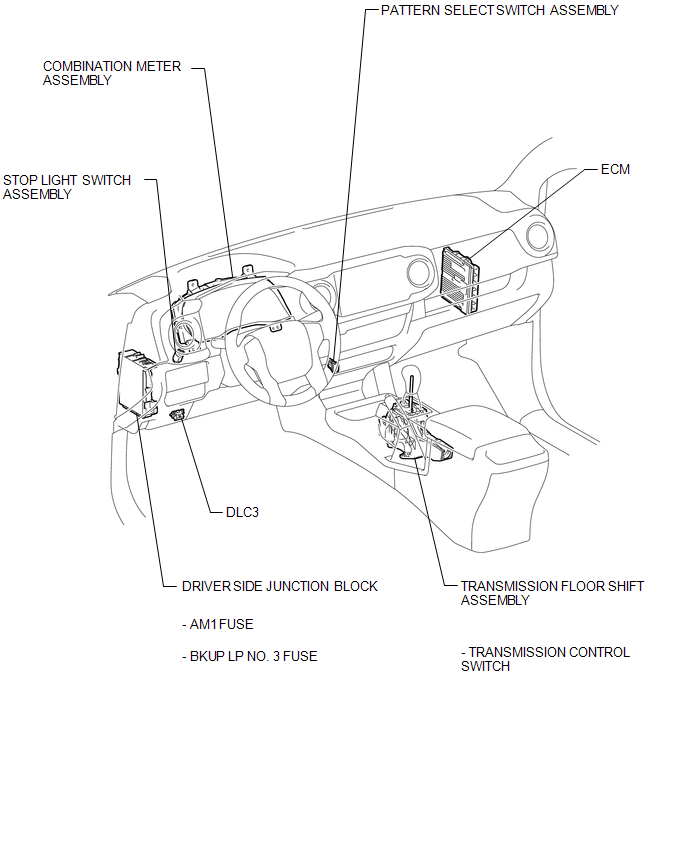
ILLUSTRATION
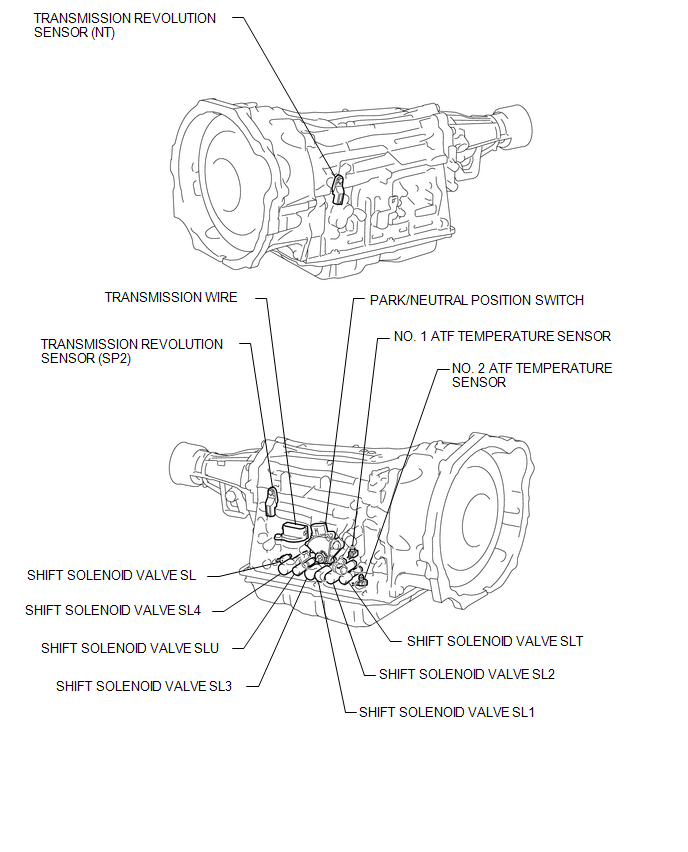
Related Tacoma materials
Power windows*
The power windows can be opened/closed using the following switches.
Driver’s power window switches
Closing
Opening
...
Image from Camera for Rear View Monitor is Abnormal
DESCRIPTION
The display signal of the rear television camera assembly is transmitted to the
radio and display receiver assembly*1 or navigation receiver assembly*2.
*1: w/o Navigation System
*2: w/ Navigation System
WIRING DIAGRAM
PROCEDURE
...
How To Proceed With Troubleshooting
CAUTION / NOTICE / HINT
HINT:
*: Use the Techstream.
PROCEDURE
1.
VEHICLE BROUGHT TO WORKSHOP
NEXT
...