COMPONENTS
ILLUSTRATION
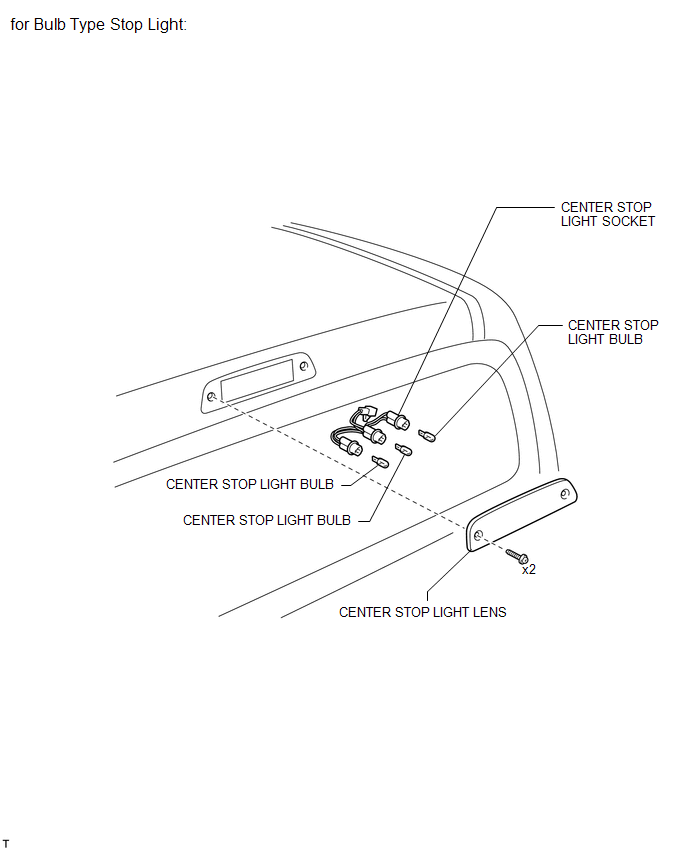
ILLUSTRATION
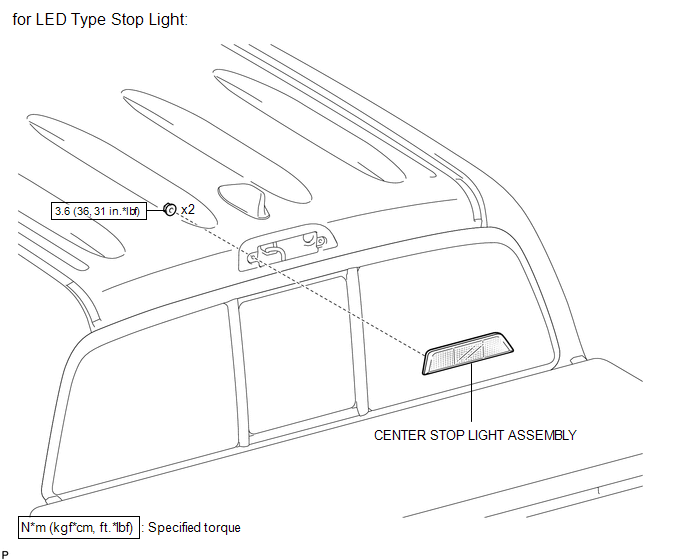
Related Tacoma materials
Active traction control system
The active traction control system automatically helps prevent the spinning of
4 wheels when the vehicle is started or accelerated on slippery road surfaces.
■ System operation
Vehicles with an automatic transmission:
Stop the vehicle, shift the shift lever to N and put the frontwheel d ...
Entune Audio
Operations such as listening to audio, using the hands-free phone, confirming
vehicle information and changing multimedia system settings are started by using
the following buttons.
Multimedia system operation buttons
...
Destination Information Undefined (C1AB8)
DESCRIPTION
This DTC is stored when correct destination information is not sent from the
main body ECU (multiplex network body ECU) and destination information cannot be
confirmed after a blind spot monitor has been replaced.
DTC Code
DTC Detection Condition
...