Toyota Tacoma manuals

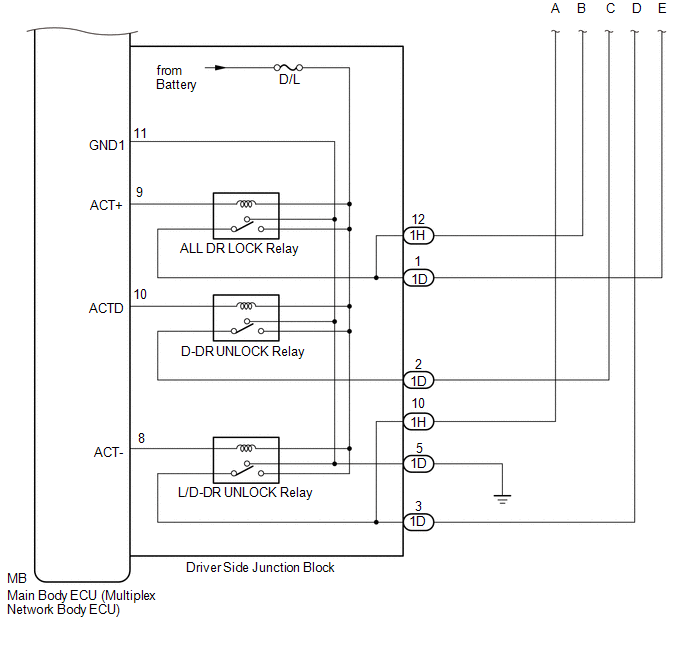
Toyota Tacoma (2015-2018) Service Manual: System Diagram

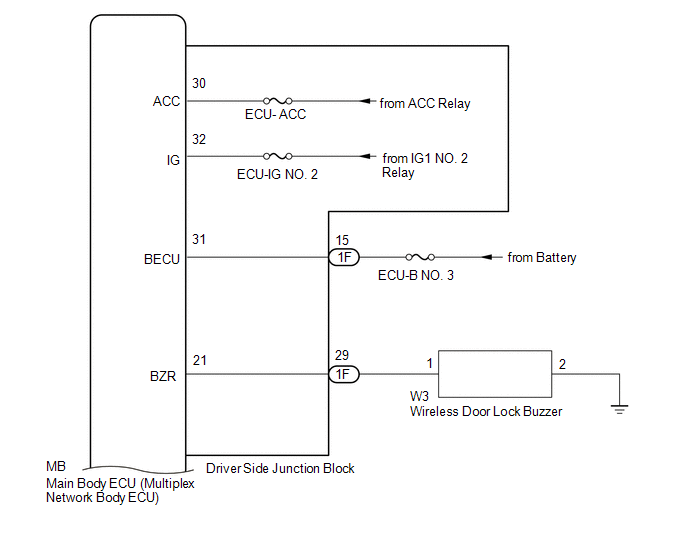
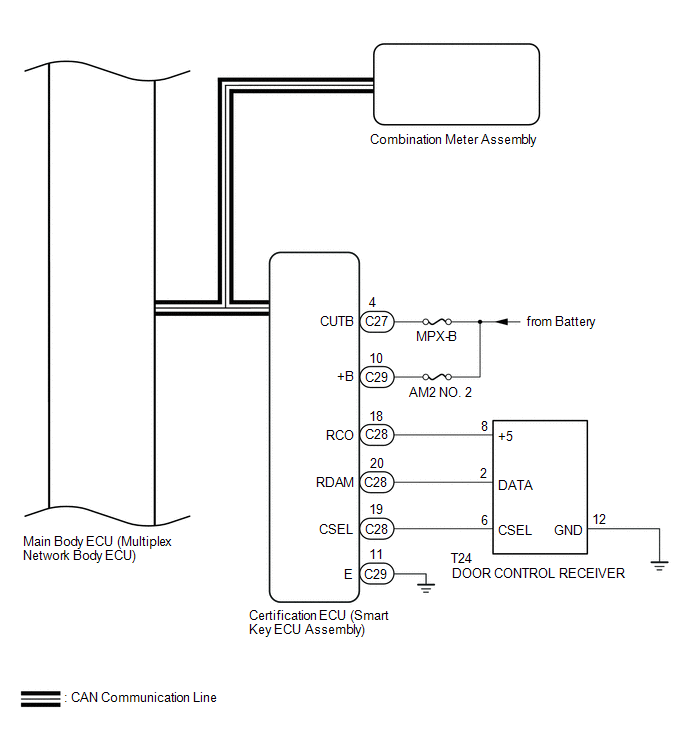
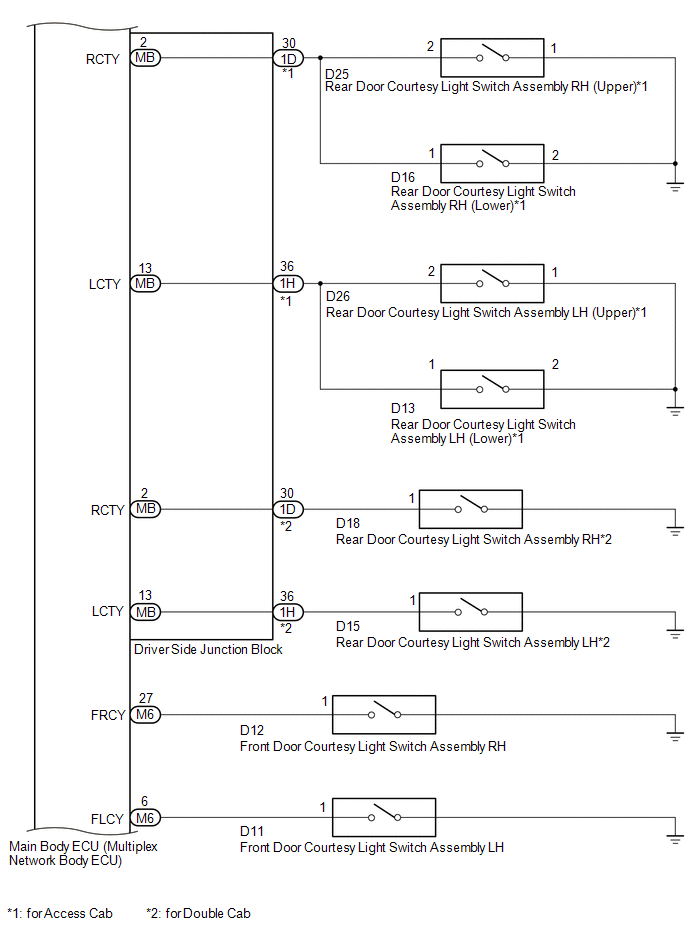
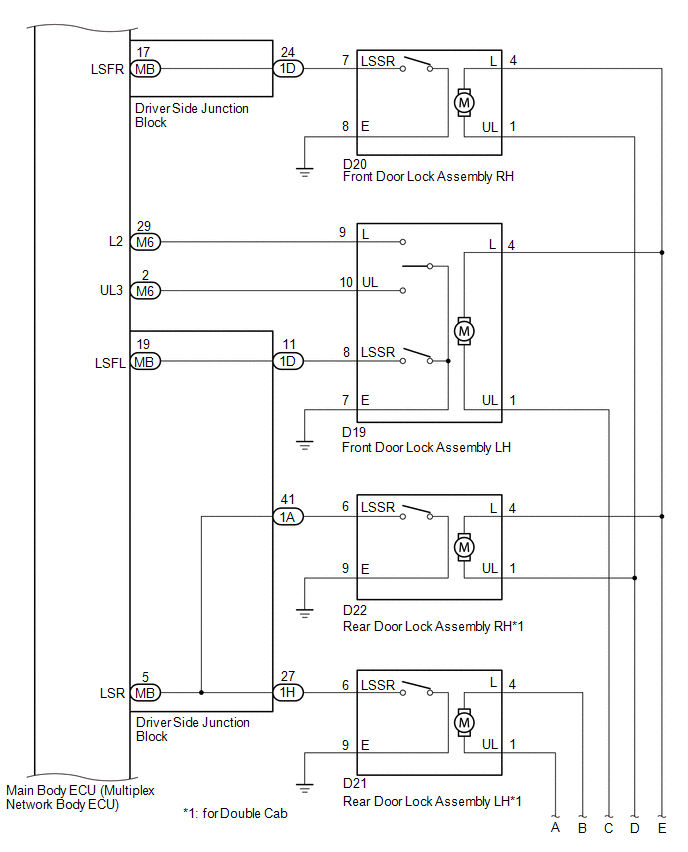
SYSTEM DIAGRAM

Communication Table Communication Table

Transmitting ECU (Transmitter)

Receiving ECU (Receiver)

Signal

Line

Certification ECU

(Smart Key ECU Assembly)

Main Body ECU

(Multiplex Network Body ECU)

  • Wireless door lock/unlock signal
  • Wireless door lock buzzer sound request signal

CAN

Main Body ECU

(Multiplex Network Body ECU)

Combination Meter Assembly

Wireless door lock hazard warning light request signal

CAN

System Description
SYSTEM DESCRIPTION 1. WIRELESS DOOR LOCK CONTROL SYSTEM The wireless door lock control system can be used to lock and unlock all doors from a distance. The system is controlled by an electrical ke ...

Customize Parameters
CUSTOMIZE PARAMETERS PROCEDURE 1. CUSTOMIZE WIRELESS DOOR LOCK CONTROL SYSTEM (w/ Smart Key System) HINT: The following items can be customized. NOTICE: When the customer requests a chan ...

Other materials:

Slip Indicator Light does not Come ON
DESCRIPTION Refer to Slip Indicator Light Remains ON (See page ). WIRING DIAGRAM Refer to Slip Indicator Light Remains ON (See page ). CAUTION / NOTICE / HINT NOTICE: When replacing the skid control ECU (master cylinder solenoid), perform calibration (See page ). Inspe ...

Dtc Check / Clear
DTC CHECK / CLEAR 1. CHECK DTC (a) Check the DTCs. (1) Turn the ignition switch off. (2) Connect the Techstream to the DLC3. (3) Turn the ignition switch to ON. (4) Turn the Techstream on. (5) Read the DTCs following the prompts on the Techstream screen. Enter the following menus: Powertrai ...

Dtc Check / Clear
DTC CHECK / CLEAR CHECK DTC (a) Connect the Techstream to the DLC3. (b) Turn the ignition switch to ON. (c) Turn the Techstream on. (d) Enter the following menus: Chassis / Front Recognition Camera / Trouble Codes. (e) Check for details of the DTCs. Click here CLEAR DTC (a) Connect the Te ...

В© 2011-2026 Copyright www.ttguide.net