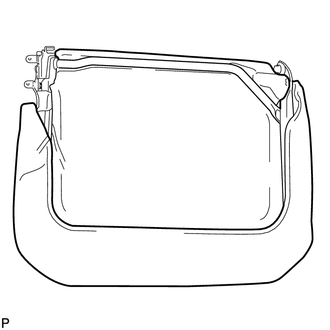
DISASSEMBLY
CAUTION / NOTICE / HINT
HINT:
The procedure described below is for the LH side. Use the same procedure for both the LH and RH sides, unless otherwise specified.
PROCEDURE
1. REMOVE REAR SEATBACK COVER
|
(a) Remove the 2 screws. |
|
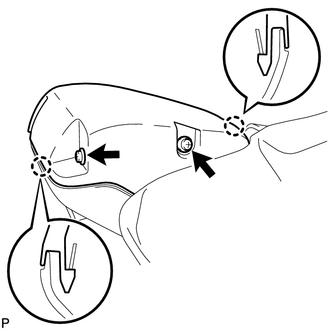
(b) Disengage the 2 claws and remove the rear seatback cover.
2. REMOVE REAR SEATBACK LOCK COVER
|
(a) Remove the 2 screws and rear seatback lock cover. |
|
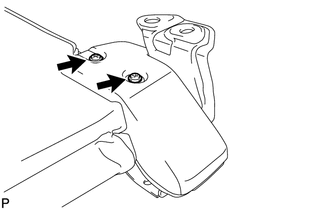
3. REMOVE REAR SEAT CUSHION UNDER COVER
|
(a) Remove the screw and rear seat cushion under cover. |
|
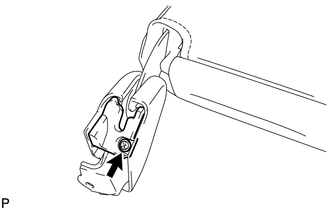
4. REMOVE REAR SEAT CUSHION COVER
|
(a) Remove the screw and rear seat cushion cover. |
|
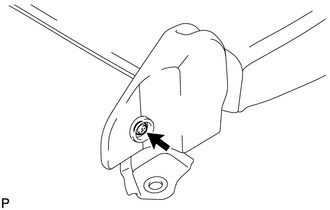
5. REMOVE REAR SEAT HINGE SUB-ASSEMBLY
|
(a) Remove the bolt and rear seat hinge sub-assembly. |
|
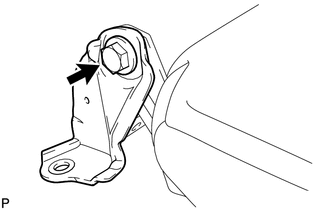
6. REMOVE REAR SEAT LOCK HANDLE
|
(a) Using a screwdriver with its tip wrapped in protective tape, disengage the claw and remove the rear seat lock handle. Text in Illustration
|
|
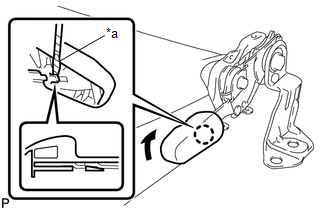
7. REMOVE REAR SEAT CUSHION SUPPORT BRACKET SUB-ASSEMBLY
|
(a) Using T30 "TORX" socket wrench, remove the bolt. |
|
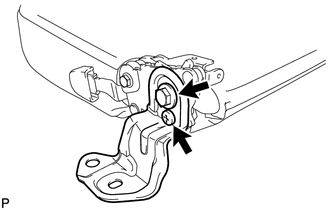
(b) Remove the bolt and rear seat cushion support bracket sub-assembly.
8. REMOVE REAR SEAT LOCK ASSEMBLY
|
(a) Remove the bolt and rear seat lock assembly. |
|
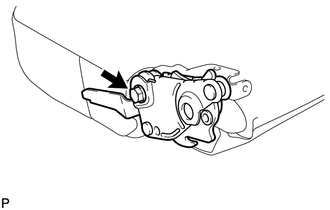
9. REMOVE SEPARATE TYPE REAR SEAT CUSHION COVER
|
(a) Disengage the hook. |
|
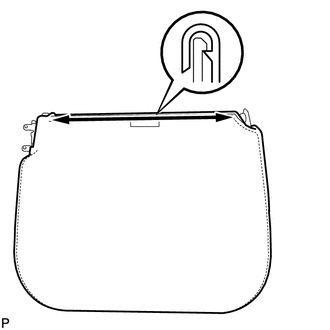
(b) Remove the separate type rear seat cushion cover.
10. REMOVE REAR SEAT CUSHION FRAME SUB-ASSEMBLY
|
(a) Remove the rear seat cushion frame sub-assembly from the rear seat cushion pad. |
|