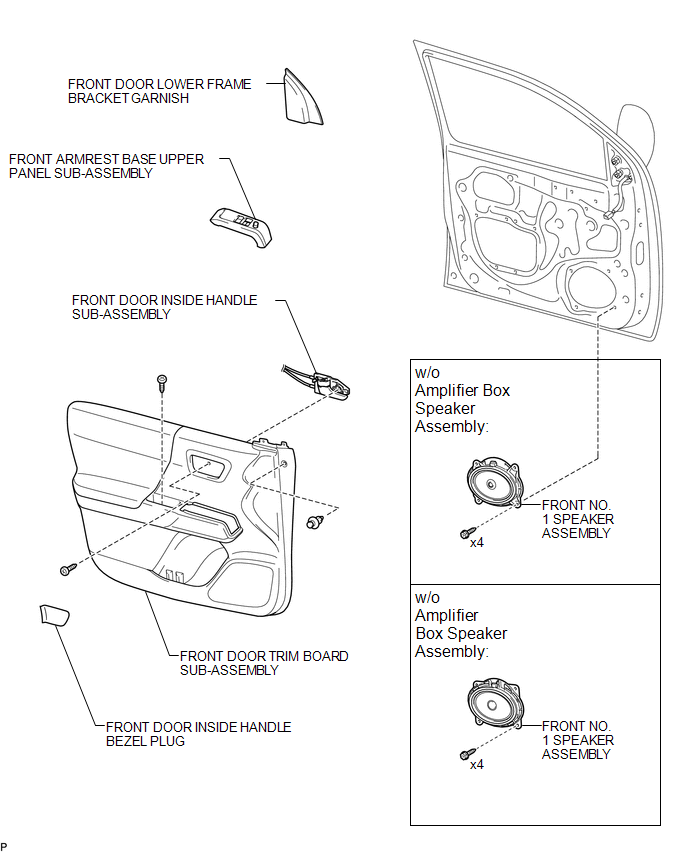
COMPONENTS
ILLUSTRATION
Related Tacoma materials
Correct driving posture
Drive in a good posture as follows:
Sit upright and well back in the
seat.
Adjust the position of the seat
forward or backward to ensure the pedals can be reached and easily ...
Windshield wipers and washer
■ Without intermittent type
Type A
Low speed windshield wiper
operation
High speed windshield wiper operation
...
No Sound can be Heard from Speakers
PROCEDURE
1.
CHECK AUDIO SETTINGS
(a) Display the "Sound Settings" screen.
(b) Set volume, fader and balance to the initial values and check that sound
is normal.
OK:
Audio system returns to normal.
HINT:
Sound quality adjustment measures vary acco ...