COMPONENTS
ILLUSTRATION
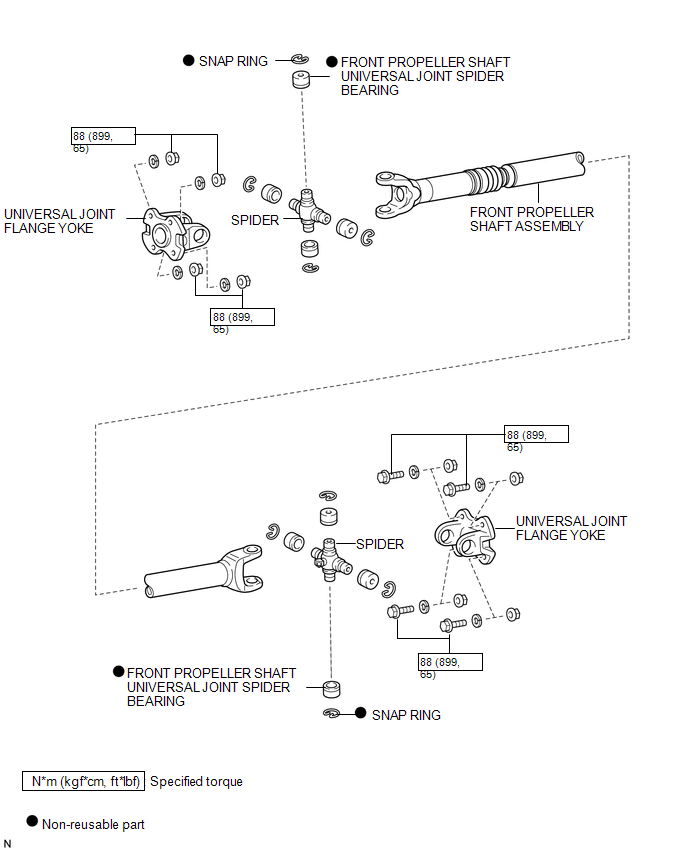
Related Tacoma materials
Head restraints
Head restraints are provided for all seats.
■ Adjusting the head restraints
Bench type front seat
Up
Pull the head restraints up.
...
Steering wheel
The steering wheel can be adjusted to a comfortable position.
Hold the steering wheel and press the lever down.
Adjust to the ideal position by moving the steering wheel horizontally and vertically.
Aft ...
Turn signal lever
Right turn
Left turn
Move and hold the lever partway to
signal a lane change.
The right hand signal will flash until you release the lever.
...