Components
COMPONENTS
ILLUSTRATION
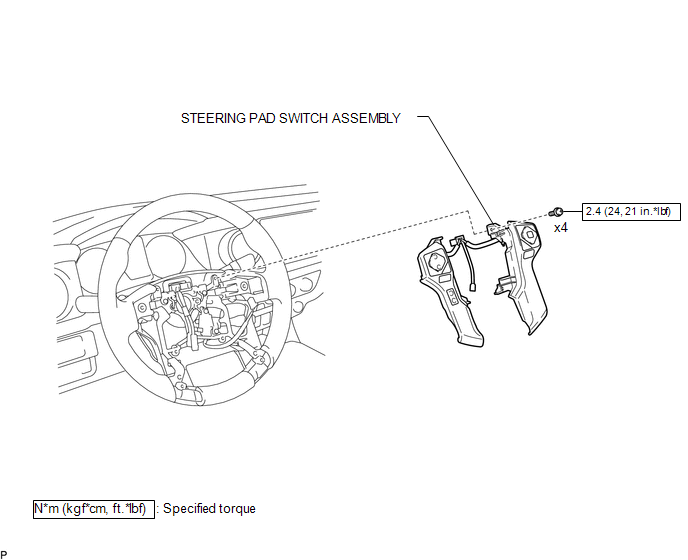
Removal
REMOVAL
PROCEDURE
1. REMOVE STEERING PAD
(See page .gif) )
)
2. REMOVE STEERING PAD SWITCH ASSEMBLY
|
(a) Disconnect the 2 connectors. |
|
.png)
(b) Disengage the 2 clamps.
(c) Remove the 4 screws.
|
(d) Disengage the 6 guides and 2 claws to remove the steering pad switch assembly. NOTICE: Disengage the 2 guides on the upper part of the steering pad switch assembly first. |
|
.png)
Inspection
INSPECTION
PROCEDURE
1. INSPECT STEERING PAD SWITCH ASSEMBLY
(See page .gif) )
)
Installation
INSTALLATION
PROCEDURE
1. INSTALL STEERING PAD SWITCH ASSEMBLY
(a) Engage the 6 guides and 2 claws to install the steering pad switch assembly.
(b) Install the 4 screws.
Torque:
2.4 N·m {24 kgf·cm, 21 in·lbf}
(c) Engage the 2 clamps.
(d) Connect the 2 connectors.
2. INSTALL STEERING PAD
(See page .gif) )
)