REMOVAL
PROCEDURE
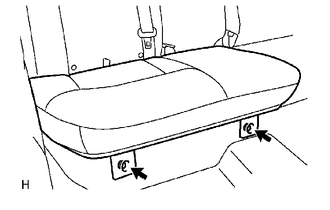
1. REMOVE REAR SEAT CUSHION ASSEMBLY
|
(a) Remove the 2 bolts and rear seat cushion assembly. |
|
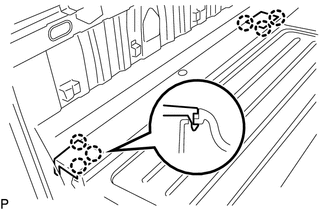
2. REMOVE REAR SEATBACK HINGE COVER
|
(a) Disengage the 6 claws to remove the 2 rear seatback hinge covers. |
|
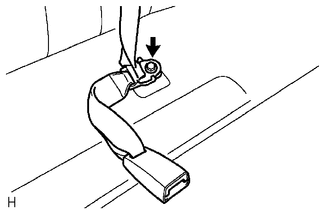
3. REMOVE REAR SEATBACK ASSEMBLY
|
(a) Remove the bolt to disconnect rear seat inner belt assembly and rear center seat outer belt assembly. |
|
|
(b) Remove the 2 bolts and rear seatback assembly. |
|
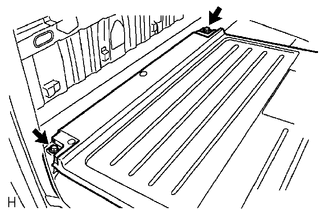
4. REMOVE REAR SEATBACK HINGE SUB-ASSEMBLY
|
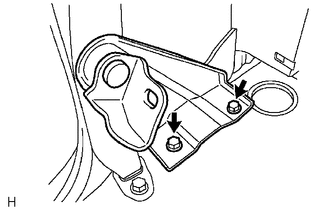
(a) Remove the 2 bolts and rear seatback hinge sub-assembly. |
|
Components
InstallationDiagnosis System
DIAGNOSIS SYSTEM
1. DESCRIPTION
(a) Smart key system (for entry function) data and Diagnostic Trouble Codes (DTCs)
can be read through the vehicle Data Link Connector 3 (DLC3). In some cases, a malfunction
may be occurring in the smart key system. When the system seems to be malfunctioning,
...
System Description
SYSTEM DESCRIPTION
1. DESCRIPTION
A part-time 2-speed VF2CM transfer uses a touch select 2-4 and high-low
system, enabling the driver to switch between 2WD, H4 and L4 modes by turning
the transfer position switch.
Through these switch signals, the 4 wheel drive control ECU actua ...
Playing an audio CD and MP3/WMA/AAC discs
Insert disc or select “CD” on the “Select Audio Source” screen to begin listening
to a CD.
Audio control screen
1. “Select Audio Source” screen appears
2. Audio CD
Displaying the track list
MP3/WMA/AAC
Displaying the folder list
3. Random playback
4. Repeat play
5. Pause
...