COMPONENTS
ILLUSTRATION
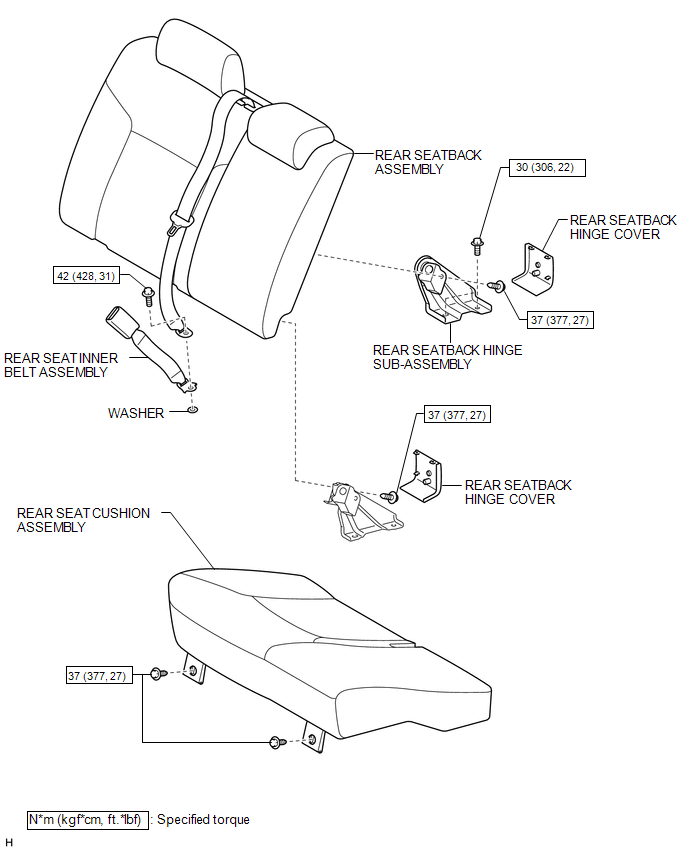
ILLUSTRATION
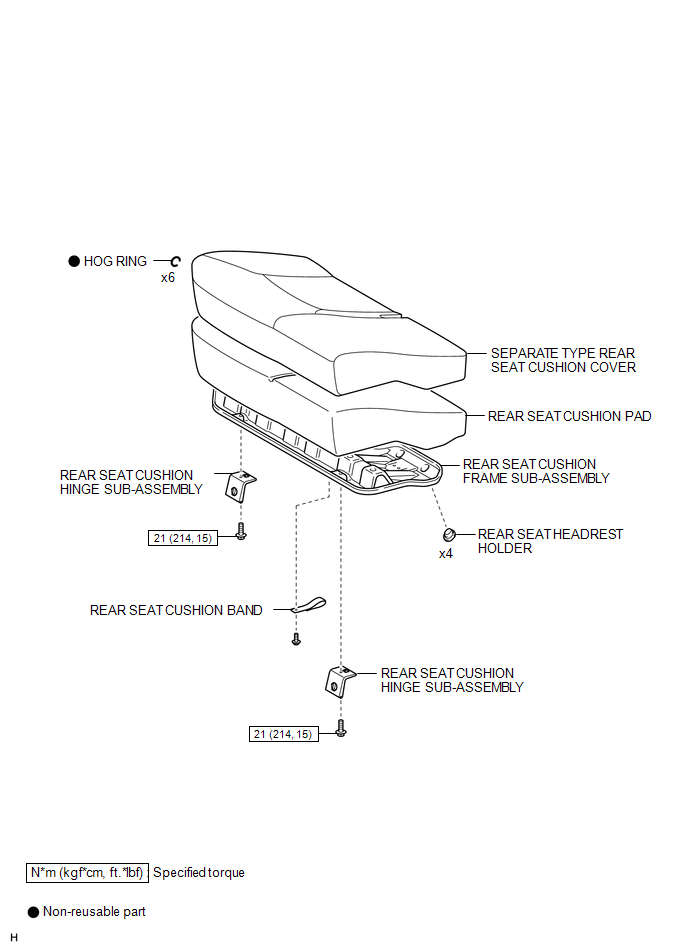
ILLUSTRATION
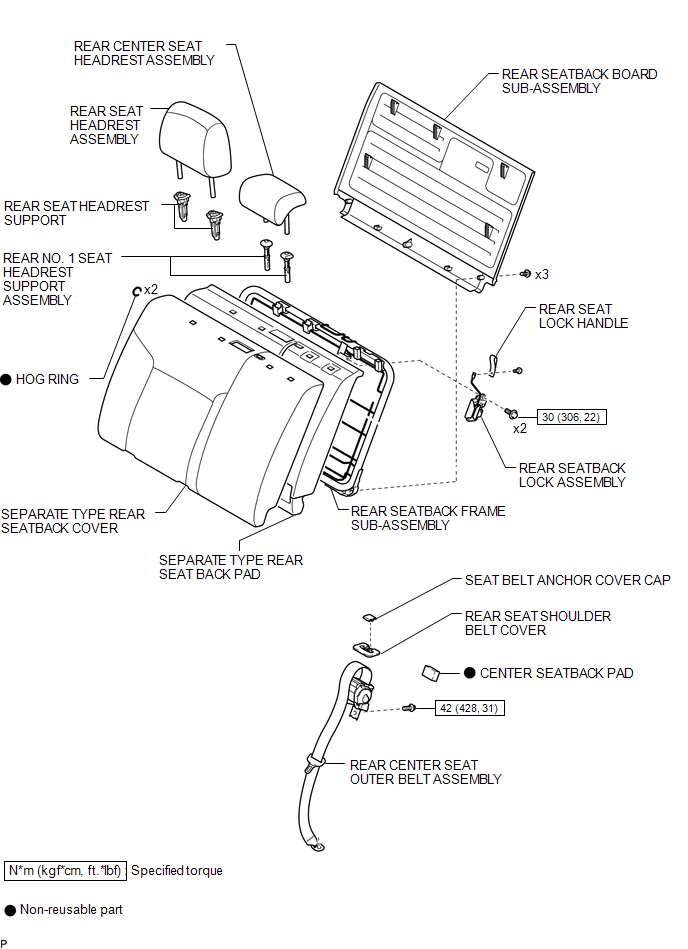
Related Tacoma materials
Interior
*1: If equipped
* 2: Access Cab and Double Cab models
*3: Vehicles with auto anti- glare inside rear view mirror
*1: If equipped
*2: Vehicles with an automatic transm ...
Emergency flashers
Use the emergency flashers if the vehicle malfunctions or is involved in an
accident.
Press the switch to flash all the turn signal lights. To turn them off, press
the switch once again.
NOTICE
■To prevent battery discharge
Do not leave the emergency flashers on longer than neces ...
Blind Spot Monitor Master Module Beam Axis Inspection Incomplete (C1ABB)
DESCRIPTION
This DTC is stored when a beam axis inspection has not been performed for the
blind spot monitor sensor LH.
HINT:
This DTC is always stored after replacing a blind spot monitor sensor. The purpose
of this DTC is to ensure that beam axis inspection is performed. Completing the
be ...