REMOVAL
PROCEDURE
1. PRECAUTION
NOTICE:
After turning the ignition switch off, waiting time may be required before disconnecting the cable from the negative (-) battery terminal.
Therefore, make sure to read the disconnecting the cable from the negative (-) battery terminal notices before proceeding with work.
Click here .gif)
2. DISCONNECT CABLE FROM NEGATIVE BATTERY TERMINAL
NOTICE:
When disconnecting the cable, some systems need to be initialized after the cable is reconnected.
Click here
3. REMOVE REAR WHEEL
4. DRAIN BRAKE FLUID
5. REMOVE REAR BRAKE DRUM SUB-ASSEMBLY
Click here
6. REMOVE FRONT BRAKE SHOE
Click here
7. REMOVE REAR BRAKE SHOE
Click here
8. REMOVE REAR SPEED SENSOR
Click here
9. SEPARATE PARKING BRAKE CABLE ASSEMBLY NO. 3
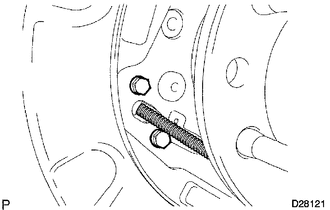
(a) Remove the 2 bolts and disconnect the parking brake cable from the backing plate.
10. SEPARATE REAR BRAKE TUBE NO. 8
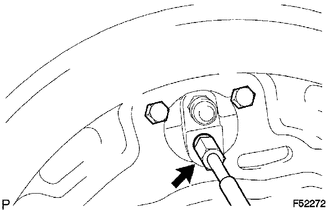
(a) Using a union nut wrench, separate the brake tube, and use a container to catch the brake fluid as it flows out.
11. REMOVE REAR AXLE SHAFT WITH BACKING PLATE
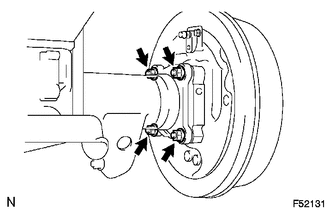
(a) Remove the 4 nuts and rear axle shaft with backing plate.
(b) Remove the O-ring.
12. REMOVE REAR AXLE SHAFT OIL SEAL
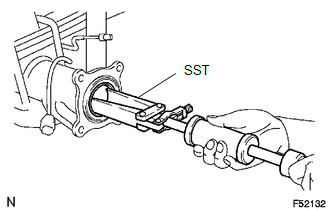
(a) Using SST, remove the oil seal.
SST: 09308-00010