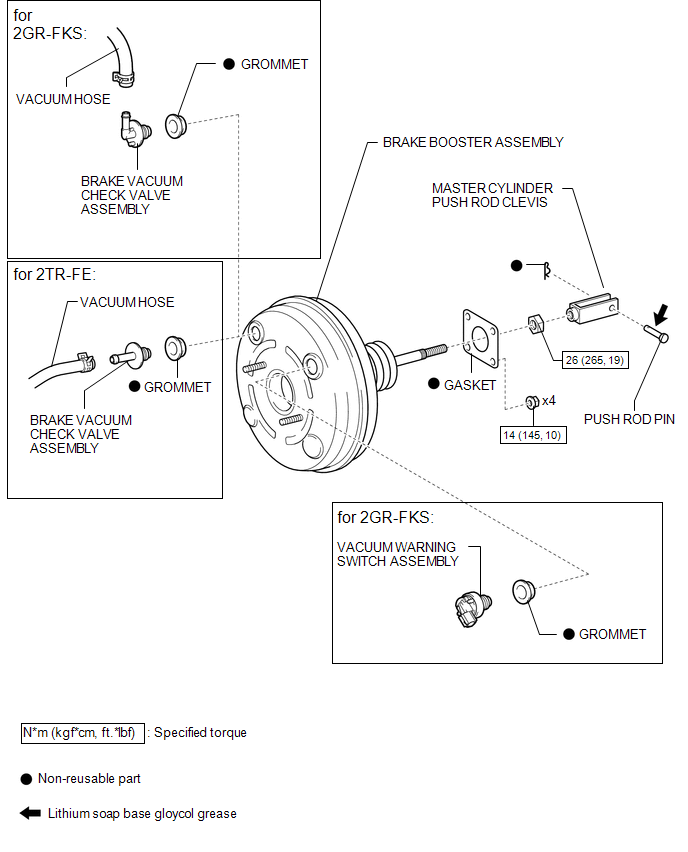
COMPONENTS
ILLUSTRATION
Related Tacoma materials
Automatic transmission
Select a shift position appropriate for the driving conditions.
■ Shifting the shift lever
5-speed models
While the engine switch is on, depress
the brake pedal and move the shif ...
Speaker Circuit
DESCRIPTION
If there is a short in a speaker circuit, the radio and display receiver
assembly detects it and stops output to the speakers.
Thus sound cannot be heard from the speakers even if there is no malfunction
in the radio and display receiver assembly or speakers.
If a ...
Brake Fluid(for Hydraulic Brake Booster)
On-vehicle Inspection
ON-VEHICLE INSPECTION
PROCEDURE
1. INSPECT FLUID LEVEL IN RESERVOIR
(a) Turn the ignition switch to OFF, and depress the brake pedal more
than 40 times (until the pedal reaction feels light and pedal stroke becomes
longer), and adjust the fluid level to ...