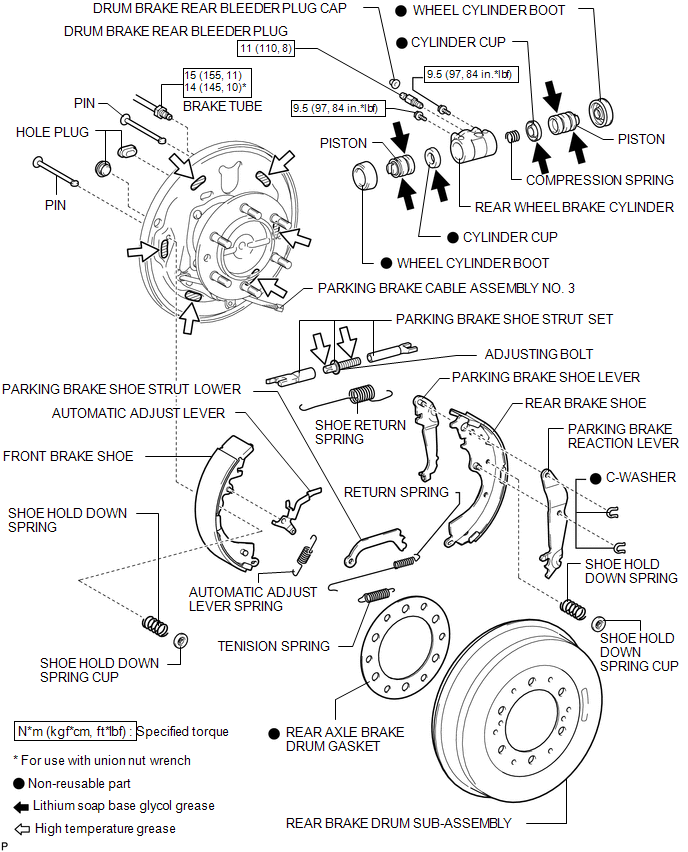
COMPONENTS
ILLUSTRATION
Related Tacoma materials
Wireless remote control*
The wireless remote control can be used to lock and unlock the vehicle from outside
the vehicle.
Locks all doors
Unlocks all doors
Pressing the button unlocks the driver’s ...
Clock
Adjusts the hours
Adjusts the minutes
■The clock is displayed when
The engine switch is in the ACC or ON position.
■When disconnecting and reconnecting battery terminals ...
Diameter of the Tire is not Uniform (C1337)
DESCRIPTION
The skid control ECU (brake actuator assembly) measures the speed of each wheel
by receiving signals from the speed sensors. These signals are used for recognizing
whether all 4 wheels are operating properly. Therefore, all wheel signals must indicate
the same speed.
D ...