REMOVAL
CAUTION / NOTICE / HINT
HINT:
- Use the same procedures for the RH side and LH side.
- The procedures listed below are for the LH side.
- When removing the moulding, heat the vehicle body and moulding using a heat light.
|
Item |
Temperature |
|---|---|
|
Vehicle Body |
40 to 60°C (104 to 140°F) |
|
Moulding |
20 to 30°C (68 to 86°F) |
NOTICE:
Do not heat the vehicle body, moulding and clip excessively.
PROCEDURE
1. REMOVE ROOF DRIP SIDE REAR FINISH MOULDING
|
(a) Put protective tape around the roof drip side rear finish moulding. Text in Illustration
|
|
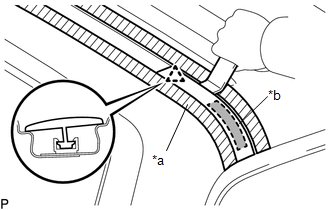
(b) Using a heat light, heat the roof drip side rear finish moulding.
NOTICE:
Do not heat the moulding and vehicle body excessively.
(c) Using a moulding remover D, disengage the clip, and peel off the double-sided tape to remove the roof drip side rear finish moulding.
NOTICE:
- Do not remove the roof drip side finish moulding clip from the vehicle body.
- If the clip is damaged or removed accidentally, replace it.
2. REMOVE ROOF DRIP SIDE FINISH MOULDING
|
(a) Put protective tape around the roof drip side finish moulding. Text in Illustration
|
|
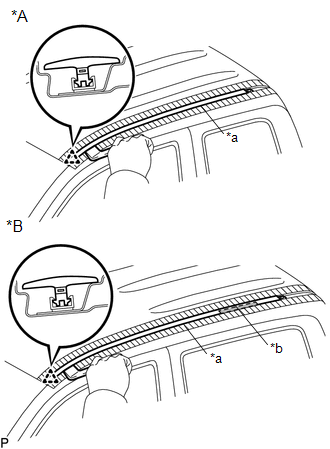
(b) for Double Cab:
(1) Using a heat light, heat the roof drip side finish moulding.
NOTICE:
Do not heat the moulding and vehicle body excessively.
(c) Using a moulding remover D, disengage the clip, and peel off the double-sided tape to remove the roof drip side finish moulding.
NOTICE:
- Do not remove the roof drip side finish moulding clip from the vehicle body.
- If the clip is damaged or removed accidentally, replace it.
(d) Remove the protective tape.