
Toyota Tacoma (2015-2018) Service Manual: Rear Door(for Double Cab)
Components
COMPONENTS
ILLUSTRATION
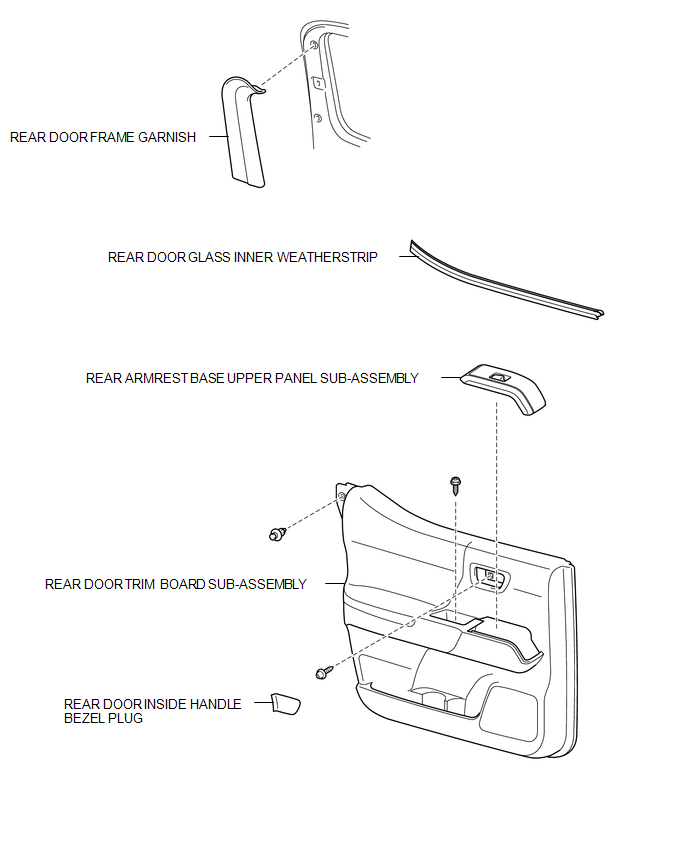
ILLUSTRATION
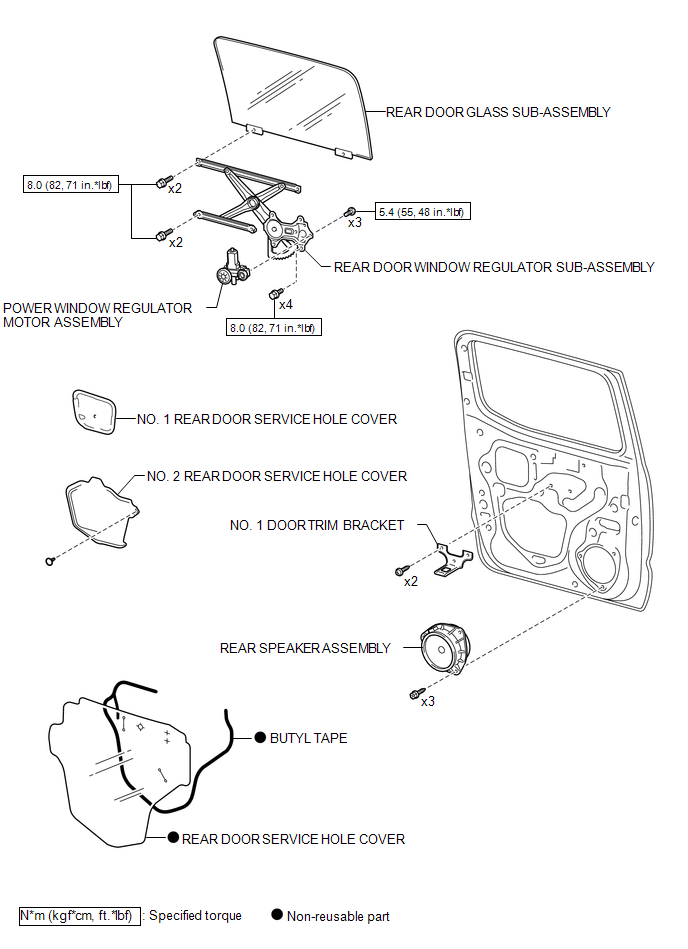
ILLUSTRATION
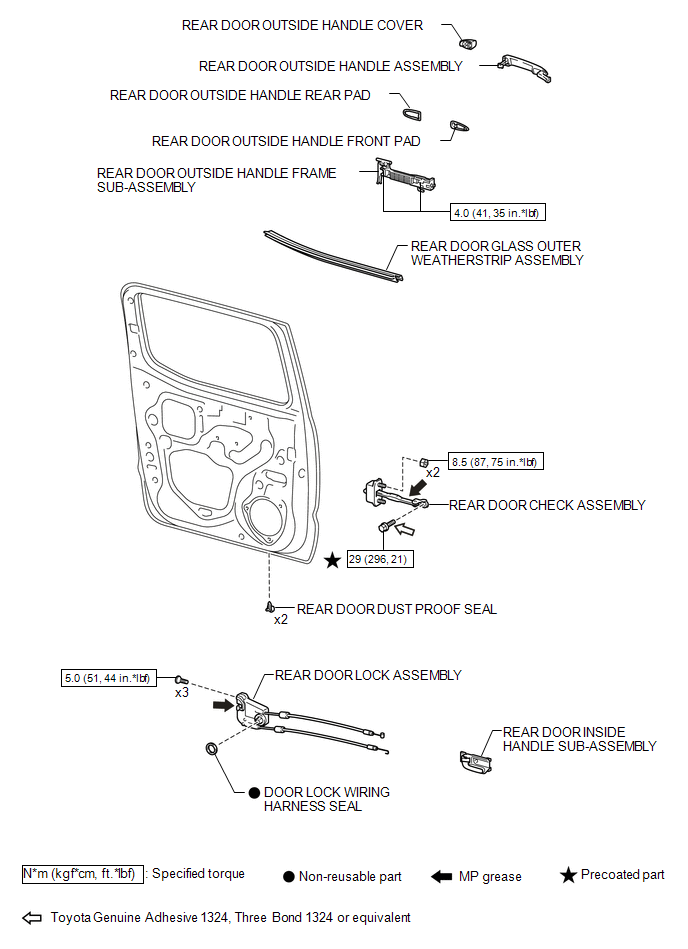
ILLUSTRATION
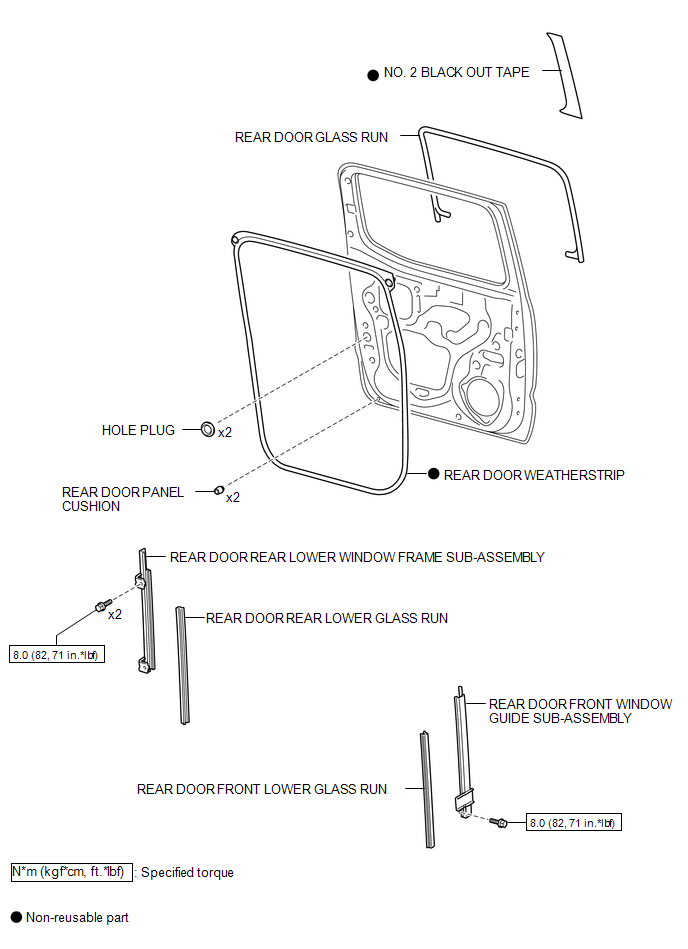
ILLUSTRATION
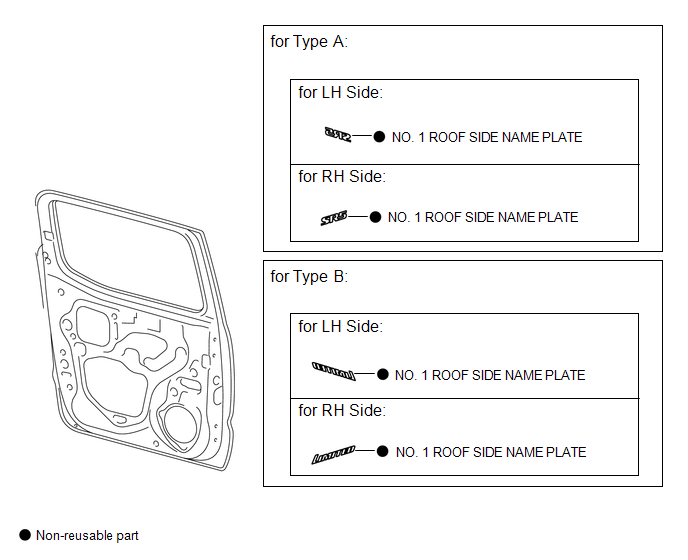
Adjustment
ADJUSTMENT
CAUTION / NOTICE / HINT
HINT:
- Use the same procedures for both the LH and RH sides.
- The procedure described below is for the LH side.
- Centering bolts are used to mount the door hinge to the vehicle body
and door. The door cannot be adjusted with the centering bolts on. Substitute
the centering bolts for standard bolts when making adjustments.
.png) Text in Illustration
Text in Illustration
*1
Centering Bolt
*2
Standard Bolt
- A bolt without a torque specification is shown in the standard bolt
chart (See page
.gif) ).
).
PROCEDURE
1. INSPECT REAR DOOR PANEL SUB-ASSEMBLY
(a) Check that the clearance measurements of areas "A" through "F" are within each standard range.
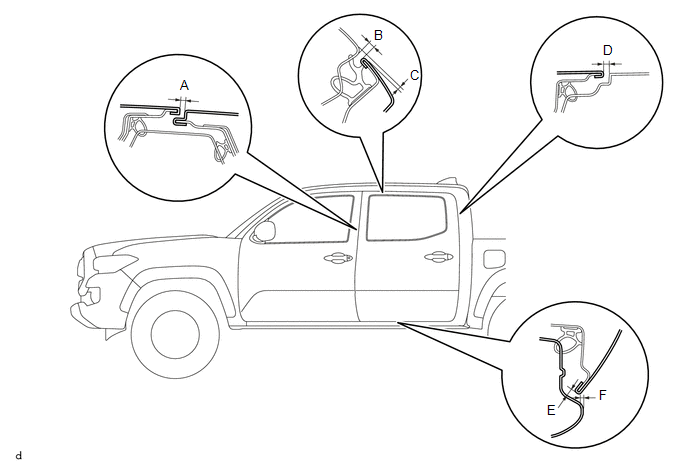 Standard Clearance:
|
Area |
Measurement |
Area |
Measurement |
|---|---|---|---|
|
A |
3.5 to 6.5 mm (0.138 to 0.256 in.) |
B |
3.3 to 6.3 mm (0.130 to 0.248 in.) |
|
C |
0.2 to 3.2 mm (0.008 to 0.126 in.) |
D |
2.9 to 5.9 mm (0.114 to 0.232 in.) |
|
E |
3.4 to 6.4 mm (0.134 to 0.252 in.) |
F |
0.5 to 3.5 mm (0.020 to 0.138 in.) |
2. ADJUST REAR DOOR PANEL SUB-ASSEMBLY
|
(a) Adjust the door horizontally and vertical by loosening the 4 body side hinge bolts. |
|
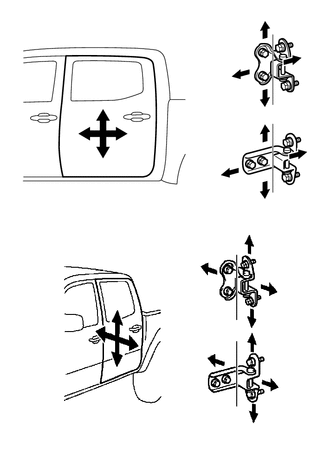
(b) Tighten the 4 body side hinge bolts after the adjustment.
Torque:
26 N·m {265 kgf·cm, 19 ft·lbf}
NOTICE:
Adjust the door fitting after the bolts were replaced with new ones.
(c) Adjust the door horizontally and vertical by loosening the 4 door side hinge bolts.
(d) Tighten the 4 door side hinge bolts after the adjustment.
Torque:
26 N·m {265 kgf·cm, 19 ft·lbf}
NOTICE:
Adjust the door fitting after the bolts were replaced with new ones.
|
(e) Using a T40 "TORX" socket wrench, slightly loosen the 2 striker mounting screws. |
|
.png)
(f) Using a brass bar and a hammer, hit the striker to adjust its position.
(g) Using a T40 "TORX" socket wrench, tighten the 2 striker mounting screws after adjustment.
Torque:
23 N·m {235 kgf·cm, 17 ft·lbf}
 Rear Door(for Access Cab)
Adjustment
ADJUSTMENT
CAUTION / NOTICE / HINT
HINT:
Use the same procedures for both the LH and RH sides.
The procedure described below is for the LH side.
Centering bolts are us ...
 Tail Gate
...
Other materials:
Components
COMPONENTS
ILLUSTRATION
ILLUSTRATION
ILLUSTRATION
ILLUSTRATION
ILLUSTRATION
ILLUSTRATION
ILLUSTRATION
ILLUSTRATION
...
Data List / Active Test
DATA LIST / ACTIVE TEST
1. DATA LIST
HINT:
Using the Techstream to read the Data List allows the values or states of switches,
sensors, actuators and other items to be read without removing any parts. This non-intrusive
inspection can be very useful because intermittent conditions or signals ...
Data List / Active Test
DATA LIST / ACTIVE TEST
NOTICE:
In the table below, the values listed under "Normal Condition" are reference
values. Do not depend solely on these reference values when deciding whether a part
is faulty or not.
HINT:
Using the Techstream to read the Data List allows the values or s ...
