PARTS LOCATION
ILLUSTRATION
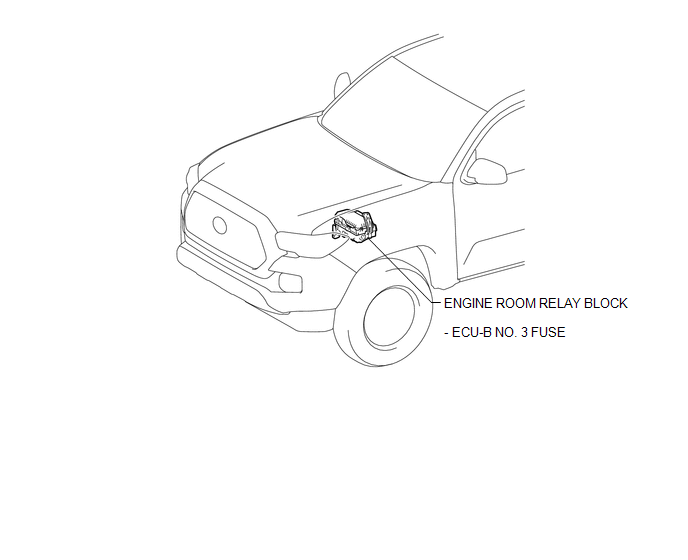
ILLUSTRATION
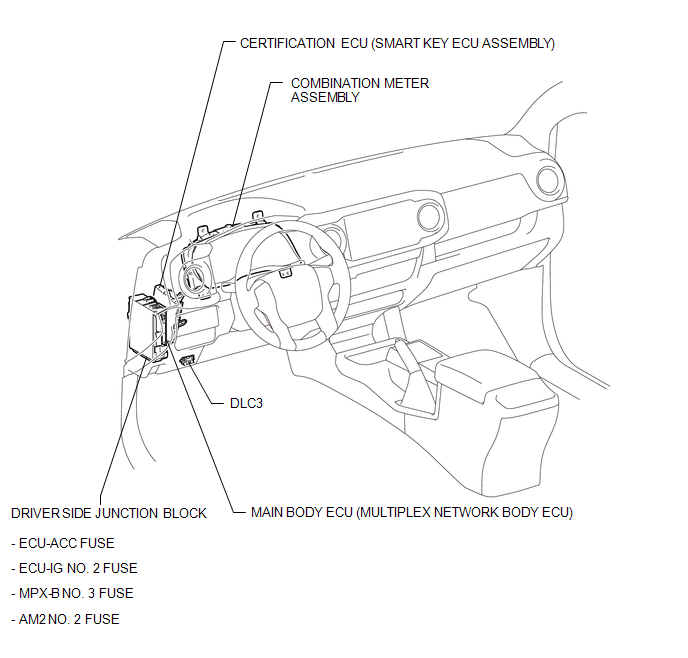
ILLUSTRATION
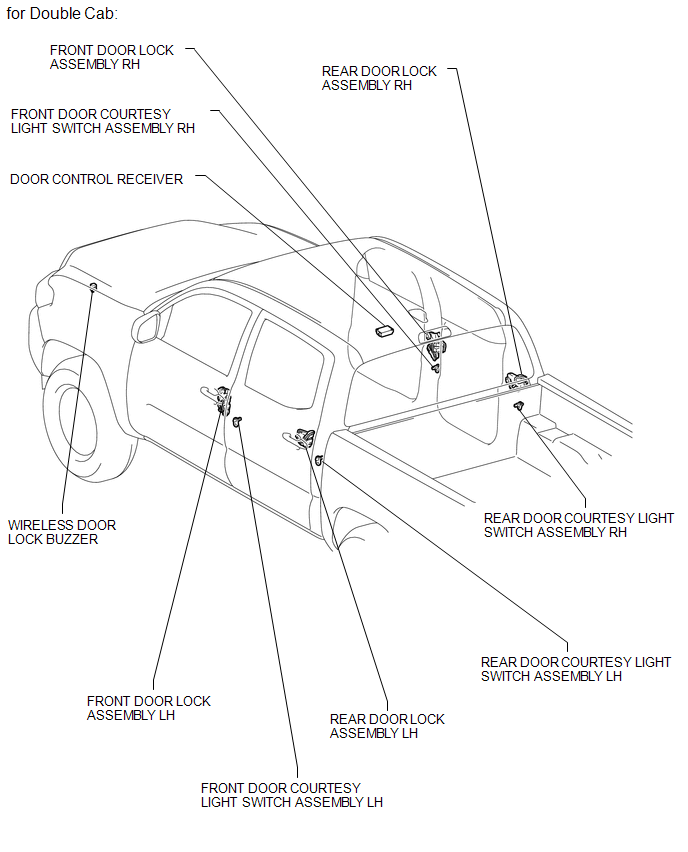
ILLUSTRATION
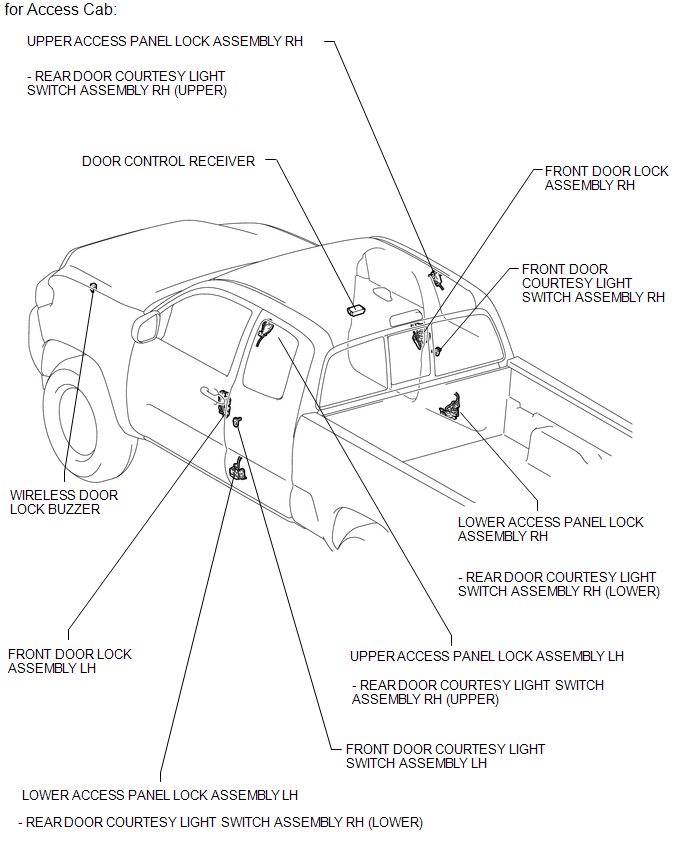
Related Tacoma materials
Cautions & Notices
CAUTION
This is a warning against anything which may cause injury to people if the
warning is ignored. You are informed about what you must or must not do in order
to reduce the risk of injury to yourself and others.
NOTICE
This is a warning against anything which may cause damage to the vehi ...
Precaution
PRECAUTION
1. The navigation system uses an SD card containing data such as map data.
Text in Illustration
*a
SD Card
2. Precaution for removing the SD card
NOTICE:
The SD card contains map data and vario ...
Terminals Of Ecu
TERMINALS OF ECU
1. CLEARANCE WARNING ECU ASSEMBLY
(a) Disconnect the C30 connector from the clearance warning ECU assembly.
(b) Measure the voltage and resistance according to the value(s) in the table
below.
Terminal No. (S ...