DESCRIPTION
The main body ECU (multiplex network body ECU) determines the status of the automatic high beam system based on the automatic high beam system signal from the forward recognition camera.
|
DTC No. |
Detection Item |
DTC Detection Condition |
Trouble Area |
|---|---|---|---|
|
B124B |
Automatic High Beam System |
Malfunction in automatic high beam system |
|
WIRING DIAGRAM
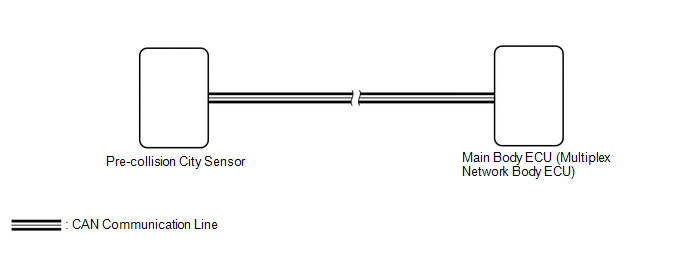
CAUTION / NOTICE / HINT
NOTICE:
First perform the communication function inspections in How to Proceed with Troubleshooting to confirm that there are no CAN communication malfunctions before troubleshooting this symptom
Click here .gif)
HINT:
If the forward recognition camera stores a DTC for a malfunction of any of the following, this DTC will be stored simultaneously.
- Speed sensor malfunction
- Yaw rate sensor malfunction
- Steering sensor malfunction
- CAN communication lost
PROCEDURE
|
1. |
CHECK FOR DTC (HEALTH CHECK) |
(a) Connect the Techstream to the DLC3.
(b) Turn the ignition switch to ON.
(c) Turn the Techstream on.
(d) Enter the following menus: System Select / Health Check.
(e) Check for DTCs.
Result|
Result |
Proceed to |
|---|---|
|
Only DTC B124B is output |
A |
|
DTC B124B is output at the same time |
B |
| B | .gif) |
GO TO OTHER DTC CHART |
|
.gif)
|
2. |
CHECK FORWARD RECOGNITION CAMERA |
(a) Check if a dynamic radar cruise control system, lane departure alert system and pre-collision system warning message are displayed on the combination meter assembly.
Click here
OK:
No dynamic radar cruise control system, lane departure alert system and pre-collision system warning messages are displayed.
|
Proceed to |
|---|
|
OK |
|
NG |
| OK | |
REPLACE MAIN BODY ECU (MULTIPLEX NETWORK BODY ECU) |
| NG | |
GO TO FORWARD RECOGNITION CAMERA SYSTEM |