PARTS LOCATION
ILLUSTRATION
.png)
ILLUSTRATION
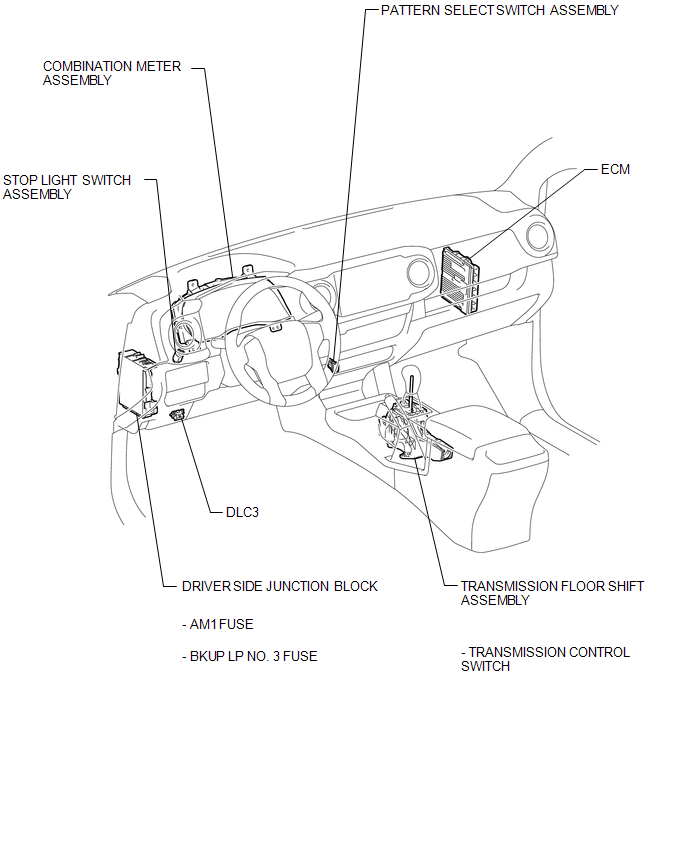
ILLUSTRATION
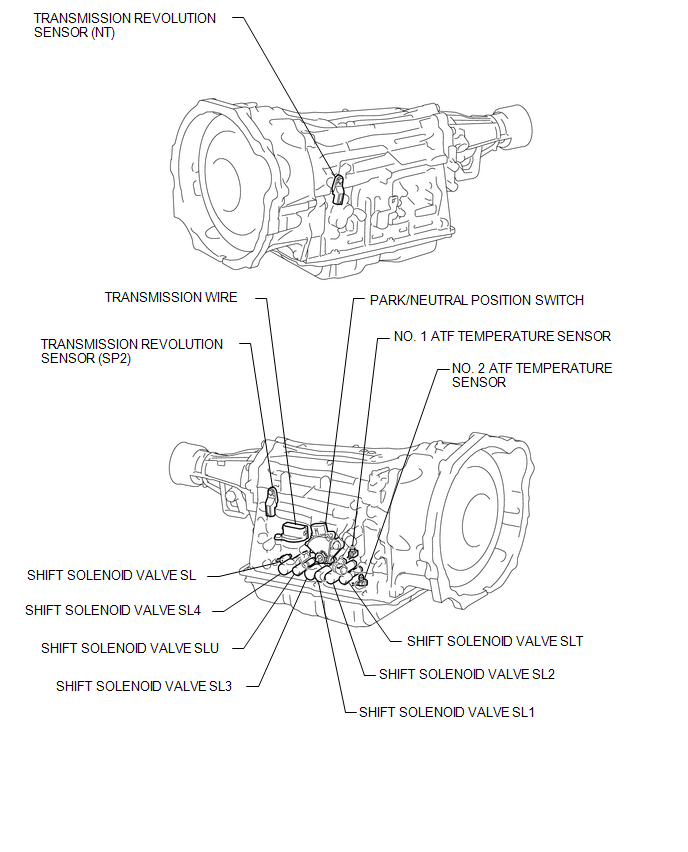
Related Tacoma materials
SM Solenoid Circuit (C1225-C1228,C1468,C1469,C146A,C146B)
DESCRIPTION
The solenoid goes on when signals are received from the skid control ECU (master
cylinder solenoid) and controls the pressure action on the wheel cylinders thus
controlling the braking force.
DTC No.
DTC Detecting Conditions
Trouble Areas
...
Steering Angle Sensor Zero Point Malfunction (C1290)
DESCRIPTION
The skid control ECU (master cylinder solenoid) acquires steering angle sensor
zero point every time the ignition switch is turned to ON and the vehicle is driven
at 35 km/h (22 mph) or more for approximately 5 seconds. The ECU also stores the
previous zero point.
If the front wh ...
Stop Light Switch OFF Stuck Malfunction (C1426)
DESCRIPTION
The skid control ECU (brake actuator assembly) inputs the stop light signal and
brake operation condition. When the brake pedal is depressed and the stop light
switch signal is not input, C1426 is output.
DTC No.
Detection Item
DTC Detection Condi ...