PARTS LOCATION
ILLUSTRATION
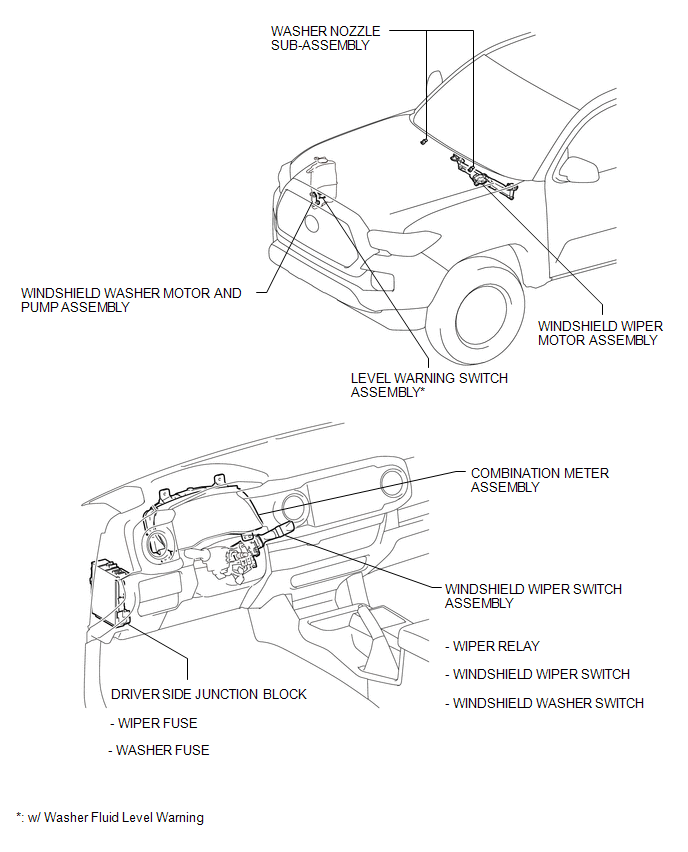
Related Tacoma materials
Seat belts
Make sure that all occupants are wearing their seat belts before driving the
vehicle.
■ Correct use of the seat belts
● Extend the shoulder belt so that it comes fully over the shoulder, but does
not come into contact with the neck or slide off the shoulder.
● Position the ...
Acceleration Sensor Power Supply Voltage Malfunction (C1381)
DESCRIPTION
The skid control ECU (master cylinder solenoid) receives signals from the yaw
rate and acceleration (airbag sensor assembly) via the CAN communication system.
The airbag sensor assembly has a built-in yaw rate and acceleration sensor and
detects the vehicle's condition using 2 ...
VSC OFF Indicator Light does not Come ON
DESCRIPTION
Refer to VSC OFF Indicator Light Remains ON (See page
).
WIRING DIAGRAM
Refer to VSC OFF Indicator Light Remains ON (See page
).
CAUTION / NOTICE / HINT
NOTICE:
When replacing the skid control ECU (master cylinder sol ...