PARTS LOCATION
ILLUSTRATION
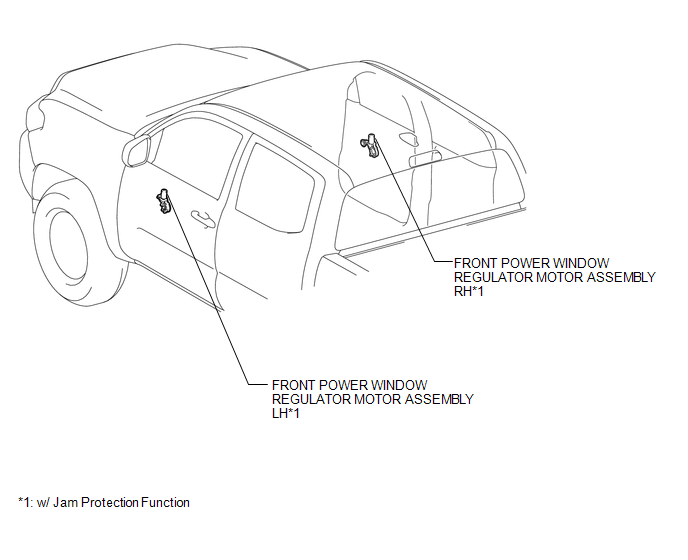
ILLUSTRATION
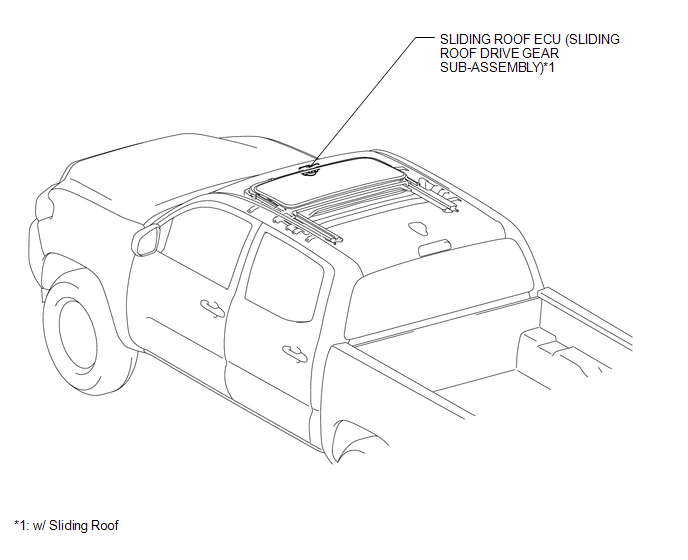
ILLUSTRATION
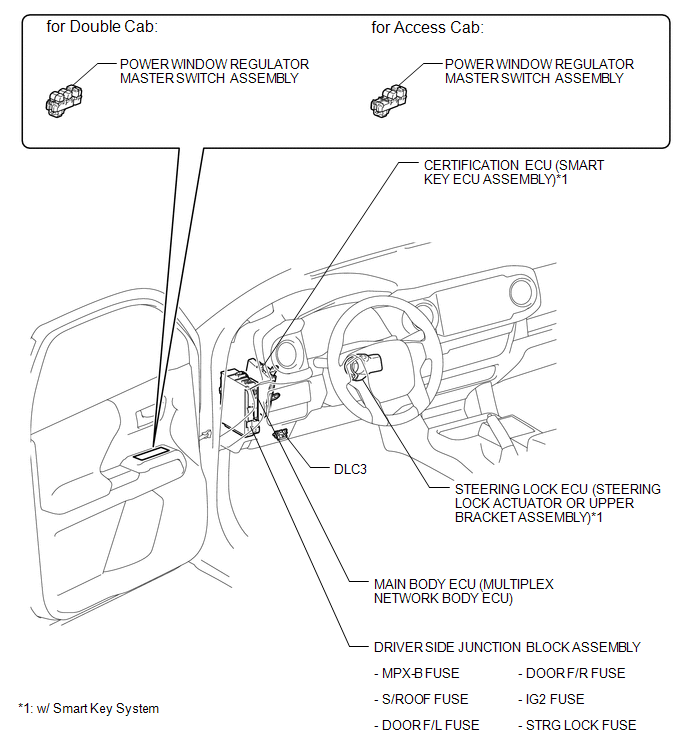
Related Tacoma materials
Blind Spot Monitor Master Module (C1AB6)
DESCRIPTION
This DTC is stored when the blind spot monitor sensor LH detects an internal
malfunction.
DTC Code
DTC Detection Condition
Trouble Area
C1AB6
...
Open or Short in Front Speed Sensor RH Circuit (C1405,C1406)
DESCRIPTION
Refer to DTCs C1401 and C1402 (See page ).
DTC No.
Detection Item
DTC Detection Condition
Trouble Area
...
Lost Communication with ECM / PCM (U0100,U0140,U0142,U0155,U1117)
DESCRIPTION
These DTCs are stored when there is a CAN communication malfunction between the
certification ECU (smart key ECU assembly), ECM, main body ECU (multiplex network
body ECU) or combination meter assembly, and data from the option connector (bus
buffer ECU) cannot be received.
HINT: ...