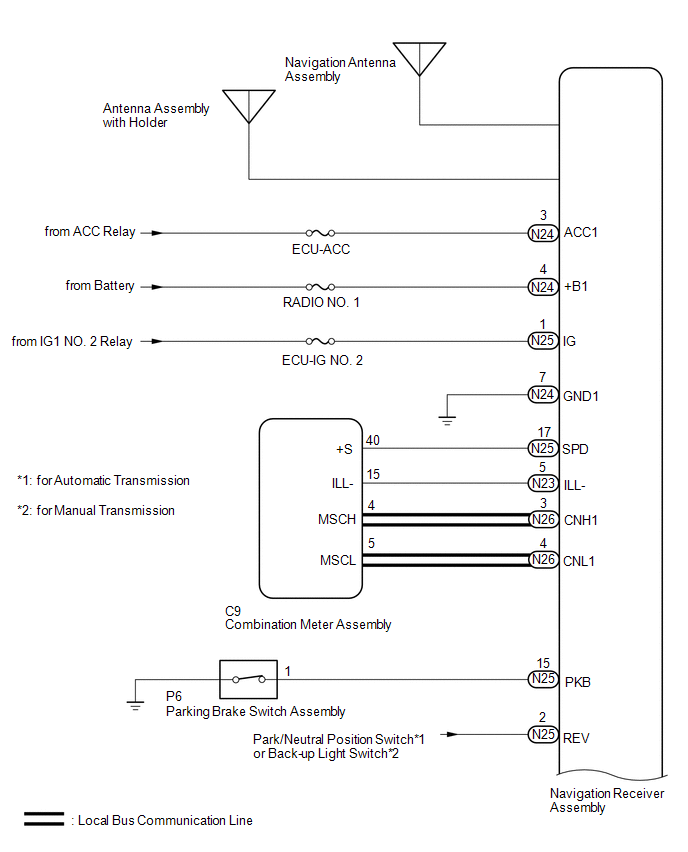
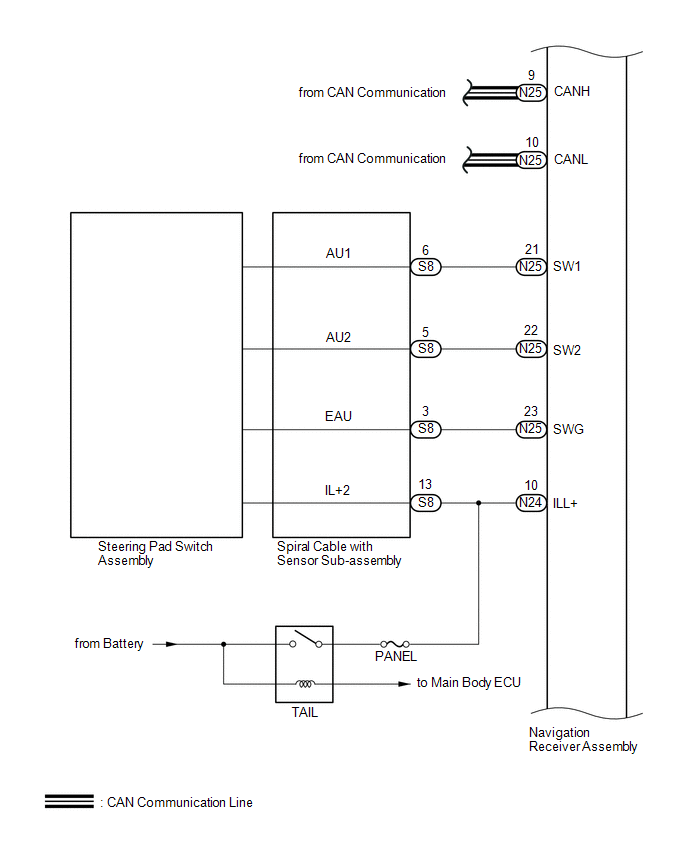
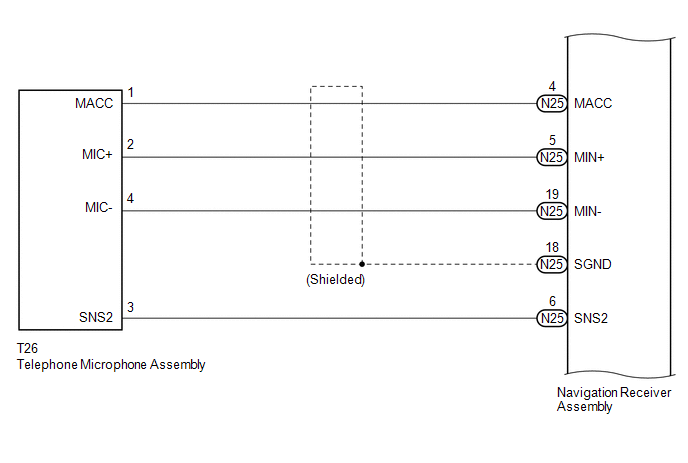
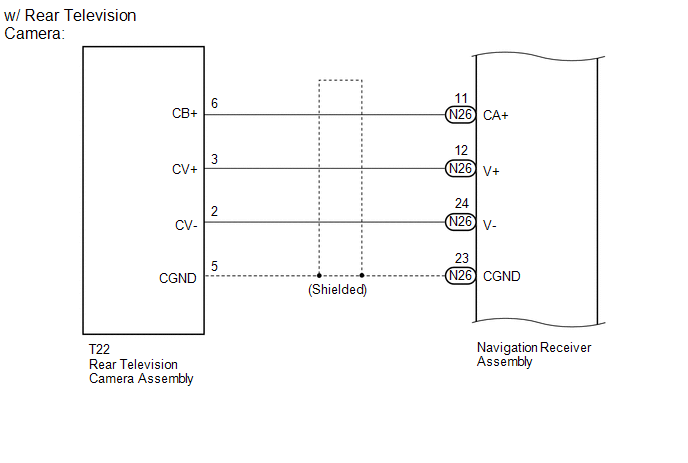
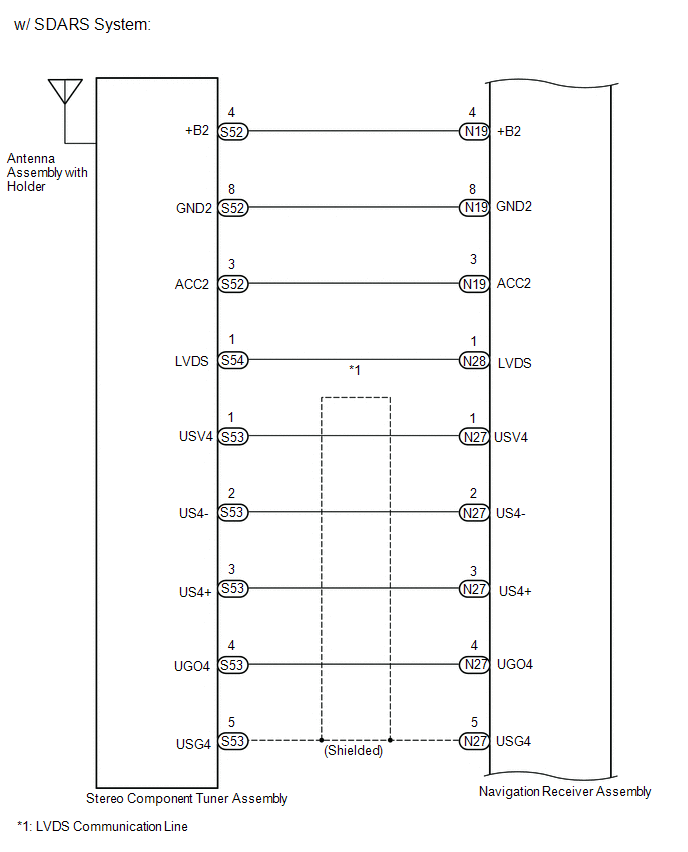
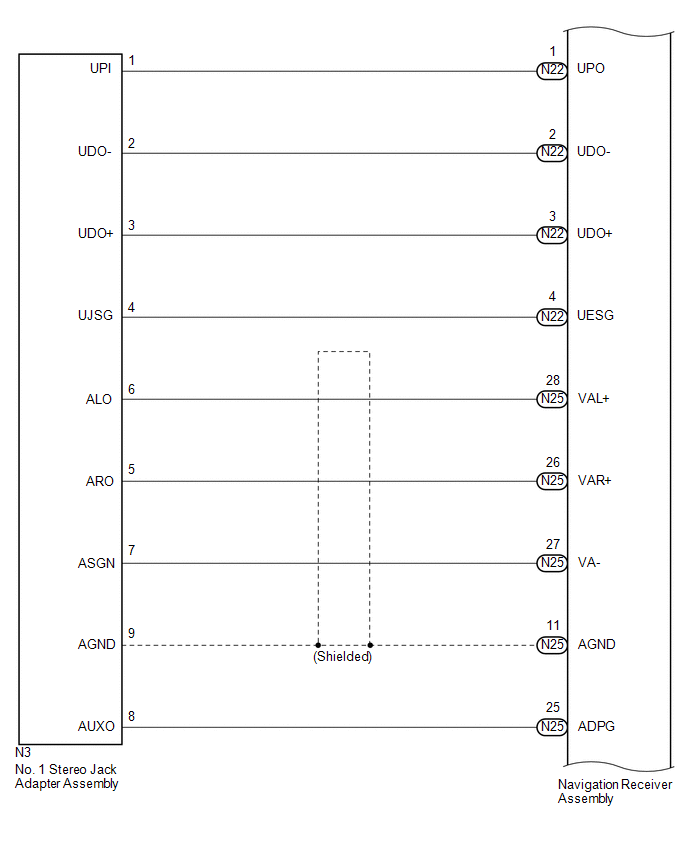
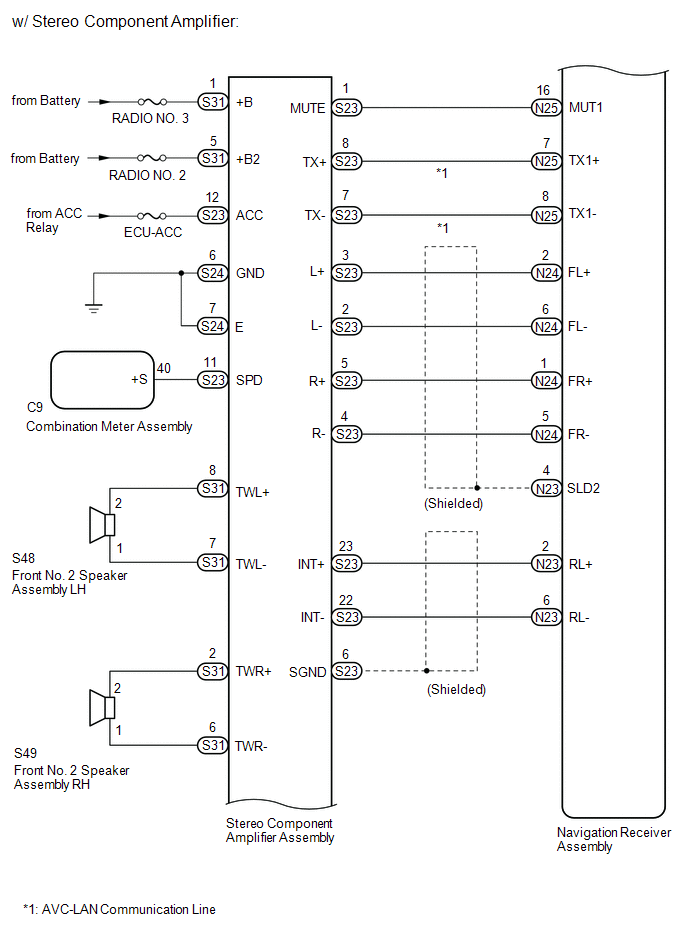
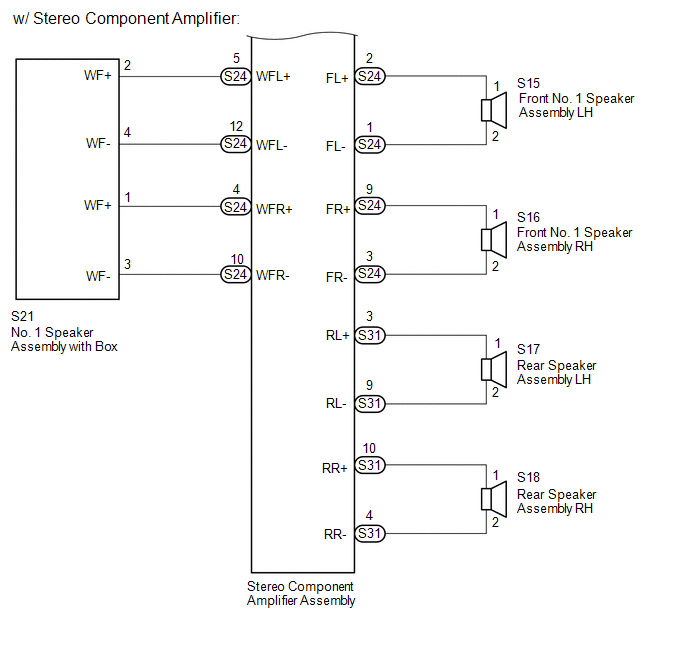
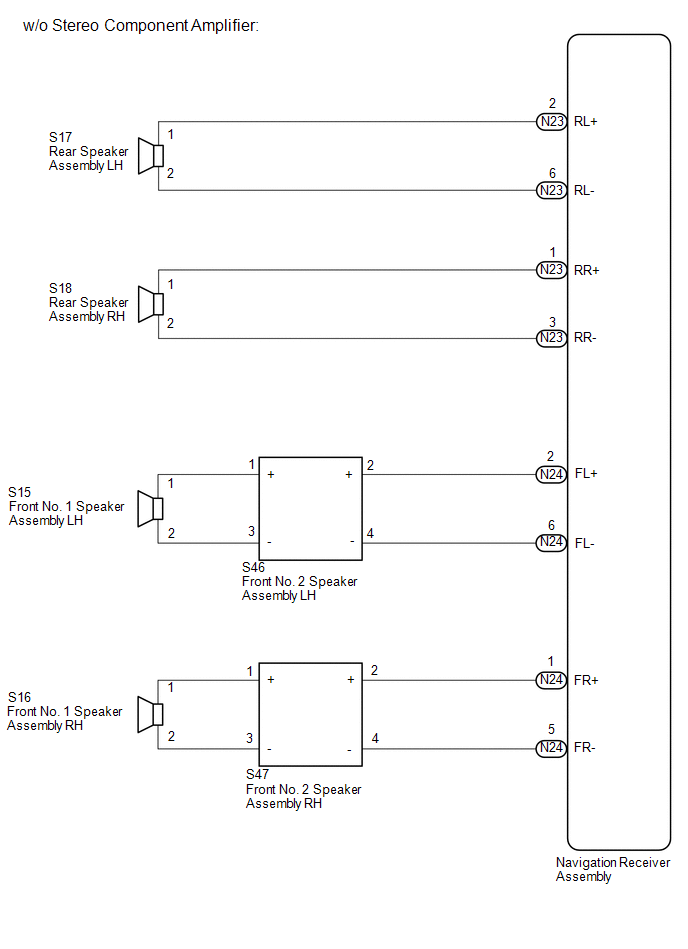
SYSTEM DIAGRAM
Related Tacoma materials
Auxiliary boxes
Front
Pull the lid down.
Under the rear seats (Access Cab
models)
Pull up the lever. ...
Removal
REMOVAL
PROCEDURE
1. PRECAUTION
NOTICE:
After turning the ignition switch off, waiting time may be required before disconnecting
the cable from the negative (-) battery terminal. Therefore, make sure to read the
disconnecting the cable from the negative (-) battery terminal notices before pr ...
Lost Communication with ECM (C1437)
DESCRIPTION
The skid control ECU (brake actuator assembly) receives signals from the ECM
via the CAN communication system.
DTC No.
Detection Item
DTC Detection Condition
Trouble Area
...