PARTS LOCATION
ILLUSTRATION
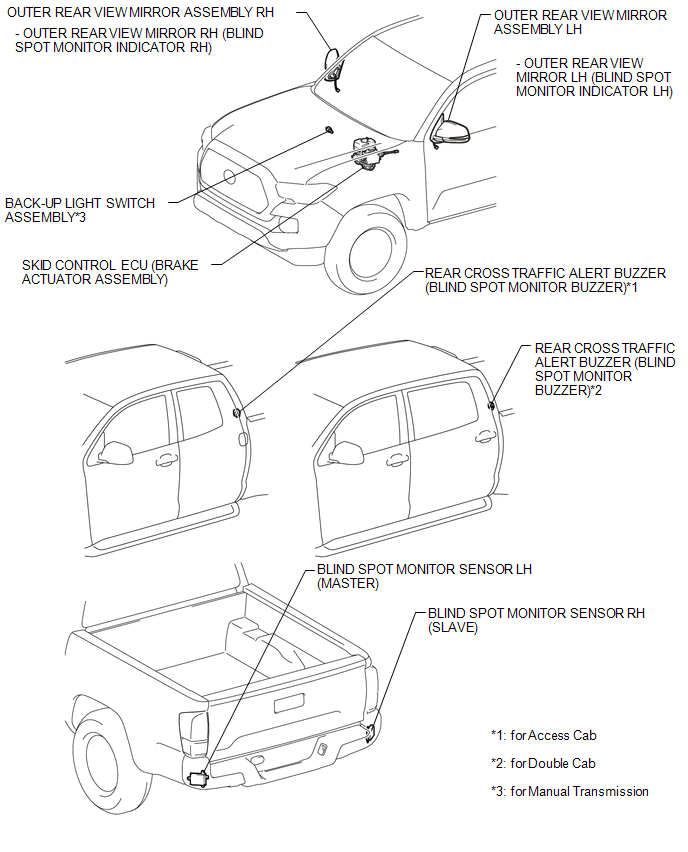
ILLUSTRATION
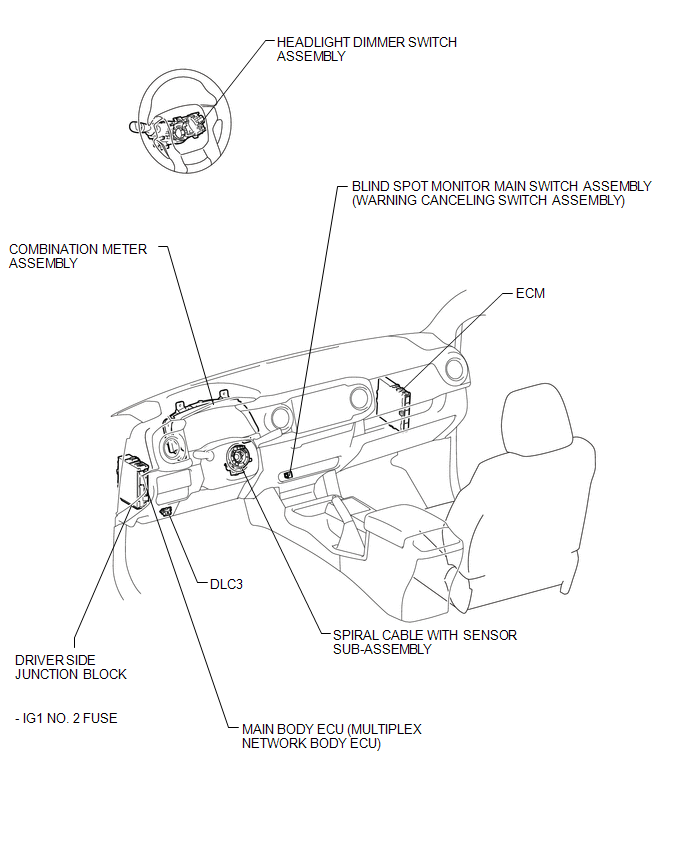
Related Tacoma materials
Tailgate
The tailgate can be opened.
Pull the handle
Open the tailgate slowly
The support cables will hold the tailgate horizontal.
After closing the tailgate, try pulling it toward yo ...
Removal
REMOVAL
PROCEDURE
1. REMOVE REAR BUMPER ASSEMBLY (w/ Towing Package)
(See page )
2. REMOVE REAR BUMPER ASSEMBLY (w/o Towing Package)
(See page ...
Problem Symptoms Table
PROBLEM SYMPTOMS TABLE
HINT:
Use the table below to help determine the cause of problem symptoms. If multiple
suspected areas are listed, the potential causes of the symptoms are listed in order
of probability in the "Suspected Area" column of the table. Check each symptom by
check ...