INSPECTION
PROCEDURE
1. INSPECT TIRES
(a) Check the tires for wear and proper inflation pressure.
Standard Cold Tire Inflation Pressure:
|
Tire Size |
Front Wheel kPa (kgf/cm2, psi) |
Rear Wheel kPa (kgf/cm2, psi) |
Spare Wheel kPa (kgf/cm2, psi) |
|---|---|---|---|
|
P245/75R16 109S |
220 (2.2, 32) |
220 (2.2, 32) |
220 (2.2, 32) |
|
P265/70R16 112T |
210 (2.1, 30) |
210 (2.1, 30) |
210 (2.1, 30) |
|
P265/65R17 110S |
200 (2.0, 29) |
200 (2.0, 29) |
200 (2.0, 29) |
|
P265/60R18 109H |
200 (2.0, 29) |
200 (2.0, 29) |
200 (2.0, 29) |
|
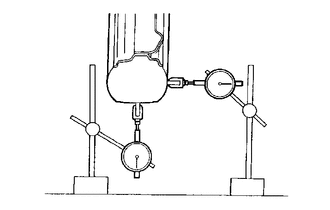
(b) Using a dial indicator, check the tire runout. Standard Tire Runout:
|
|
2. ROTATE TIRES
HINT:
Rotate the tires as shown in the illustration.
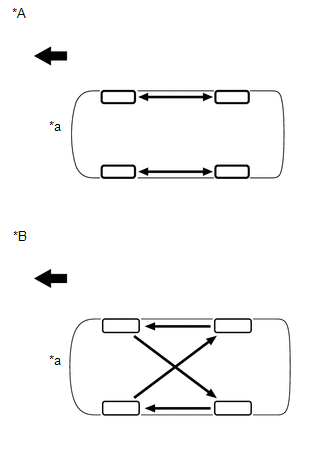 Text in Illustration
|
*A |
for North America |
|
*B |
Except North America |
|
*a |
Overhead View |
.png) |
Front of Vehicle |
3. INSPECT WHEEL BALANCE
(a) Check and adjust the off-car balance.
|
(1) for Steel Wheel Type: Maximum imbalance after adjustment: 8.0 g (0.0176 lb) |
|
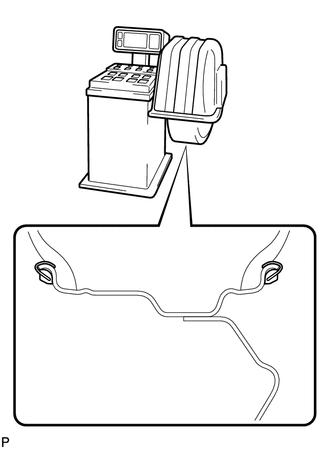
|
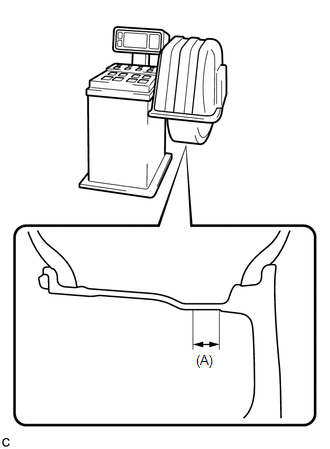
(2) for Aluminum Wheel Type: Maximum imbalance after adjustment: 8.0 g (0.0176 lb) NOTICE:
HINT: The inner side balance weight should be installed by clipping it to the rim. |
|
(b) If necessary, check and adjust the on-car balance.
Standard imbalance after adjustment:
8.0 g (0.0176 lb) or less
4. INSPECT FRONT AXLE HUB BEARING
.gif)
5. INSPECT REAR AXLE HUB BEARING

