Components
COMPONENTS
ILLUSTRATION
ILLUSTRATION
Installation
INSTALLATION
CAUTION / NOTICE / HINT
HINT:
- Use the same procedure for the RH side and LH side.
- The following procedure is for the LH side.
PROCEDURE
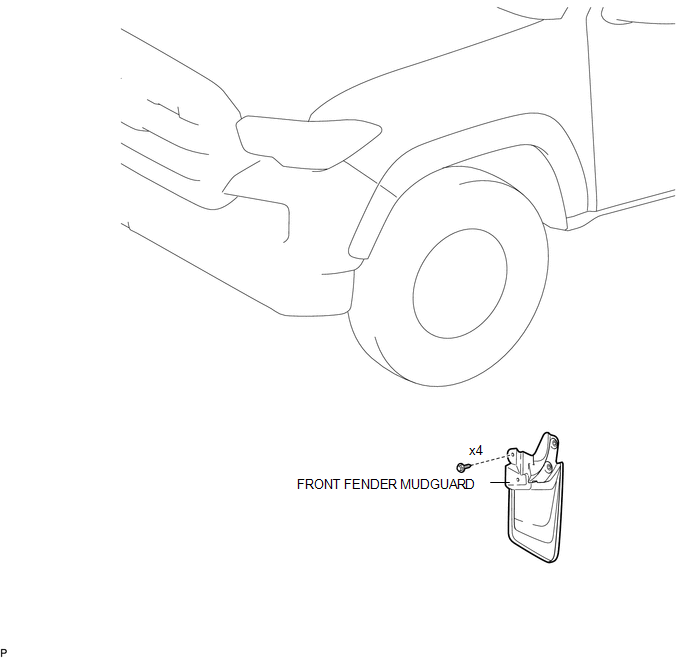
1. INSTALL FRONT FENDER MUDGUARD
(a) Install the front fender mudguard with the 4 screws.
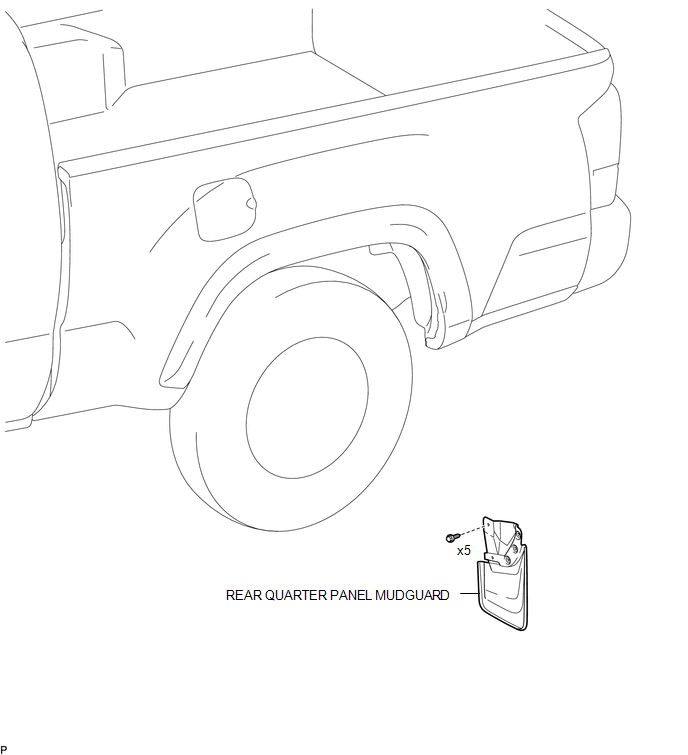
2. INSTALL REAR QUARTER PANEL MUDGUARD
(a) Install the rear quarter panel mudguard with the 5 screws.
Removal
REMOVAL
CAUTION / NOTICE / HINT
HINT:
- Use the same procedure for the RH side and LH side.
- The following procedure is for the LH side.
PROCEDURE
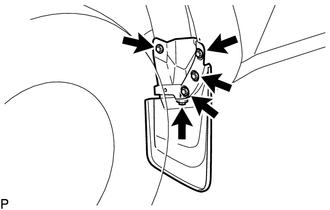
1. REMOVE FRONT FENDER MUDGUARD
|
(a) Remove the 4 screws and front fender mudguard. |
|
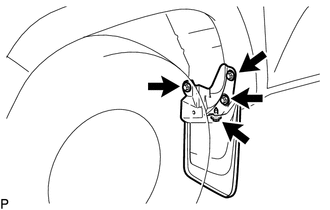
2. REMOVE REAR QUARTER PANEL MUDGUARD
|
(a) Remove the 5 screws and rear quarter panel mudguard. |
|