COMPONENTS
ILLUSTRATION
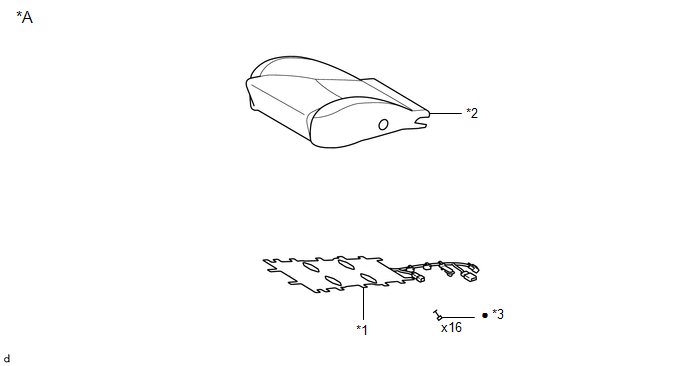
|
*A |
for Driver Side |
- |
- |
|
*1 |
FRONT SEAT CUSHION HEATER ASSEMBLY |
*2 |
SEPARATE TYPE FRONT SEAT CUSHION COVER |
|
*3 |
TAG PIN |
- |
- |
|
● |
Non-reusable part |
- |
- |
ILLUSTRATION
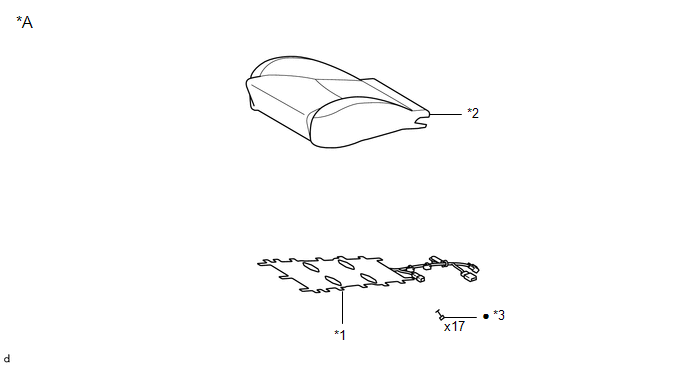
|
*A |
for Front Passenger Side |
- |
- |
|
*1 |
FRONT SEAT CUSHION HEATER ASSEMBLY |
*2 |
SEPARATE TYPE FRONT SEAT CUSHION COVER |
|
*3 |
TAG PIN |
- |
- |
|
● |
Non-reusable part |
- |
- |
InspectionDtc Check / Clear
DTC CHECK / CLEAR
1. CHECK DTC
(a) Connect the Techstream to the DLC3.
(b) Turn the ignition switch to ON.
(c) Turn the Techstream on.
(d) Enter the following menus: Body Electrical / Sliding Roof / Trouble Codes.
(e) Check the details of the DTC(s) (See page
).
2. CLEAR DTC
(a) Connect th ...
Dtc Check / Clear
DTC CHECK / CLEAR
CHECK FOR DTC
(a) Connect the Techstream to the DLC3.
(b) Turn the ignition switch to ON.
(c) Turn the Techstream on.
(d) Enter the following menus: Body Electrical / Central Gateway / Trouble Codes.
(e) Read the DTCs.
CLEAR DTC
(a) Connect the Techstream to the DLC3.
(b) ...
Diagnosis System
DIAGNOSIS SYSTEM
1. DESCRIPTION
(a) The power window control system data can be read from the Data Link Connector
3 (DLC3) of the vehicle. When the system seems to be malfunctioning, use the Techstream
to check for malfunctions and perform repairs.
2. CHECK DLC3
(a) Check the DLC3 (See page ...