COMPONENTS
ILLUSTRATION
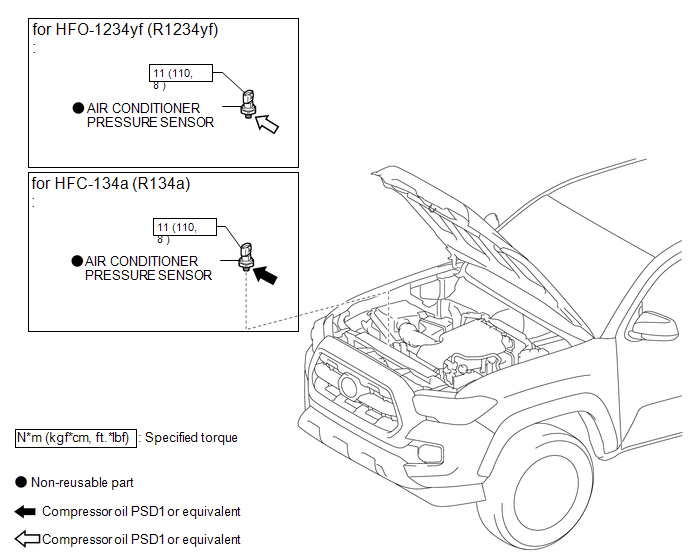
Related Tacoma materials
Removal
REMOVAL
PROCEDURE
1. REMOVE FUEL TANK ASSEMBLY
Click here
2. DISCONNECT FUEL TANK MAIN TUBE SUB-ASSEMBLY
Click here
3. REMOVE FUEL PUMP GAUGE RETAINER
NOTICE:
Before performing these procedures, first cover th ...
Inspection
INSPECTION
PROCEDURE
1. INSPECT TRANSMISSION FLOOR SHIFT ASSEMBLY (w/o Smart Key System)
HINT:
If the results of the following inspections are as specified but a malfunction
has occurred, replace the transmission floor shift assembly.
(a) Inspect the wire harness.
(1) Disconnect the shift lo ...
Brake System (P1578)
DESCRIPTION
This DTC is stored when a malfunction is detected in the vehicle stability control
system. Check the vehicle stability control system when DTC P1578 is stored.
DTC No.
Detection Item
DTC Detection Condition
...