Components
COMPONENTS
ILLUSTRATION
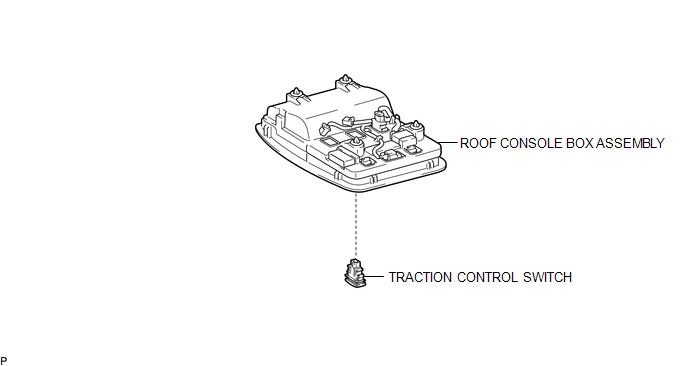
Removal
REMOVAL
PROCEDURE
1. REMOVE ROOF CONSOLE BOX ASSEMBLY
(See page .gif) )
)
2. REMOVE A-TRAC SWITCH (TRACTION CONTROL SWITCH)
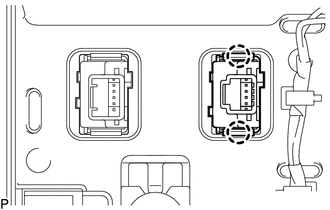
(a) Disconnect the A-TRAC switch (traction control switch) connector.
|
(b) Using a screwdriver, detach the 2 claws and remove the A-TRAC switch (traction control switch) from the roof console box assembly. |
|
Inspection
INSPECTION
PROCEDURE
1. INSPECT A-TRAC SWITCH (TRACTION CONTROL SWITCH)
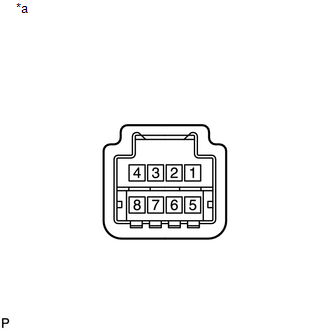
(a) Check the resistance.
|
(1) Measure the resistance according to the value(s) in the table below. Text in Illustration
Standard Resistance:
If the value is not as specified, replace the A-TRAC switch (traction control switch). |
|
Installation
INSTALLATION
PROCEDURE
1. INSTALL A-TRAC SWITCH (TRACTION CONTROL SWITCH)
(a) Attach the 2 claws to install the A-TRAC switch (traction control switch) into the roof console box assembly.
(b) Connect the A-TRAC switch (traction control switch) connector.
2. INSTALL ROOF CONSOLE BOX ASSEMBLY
(See page .gif) )
)