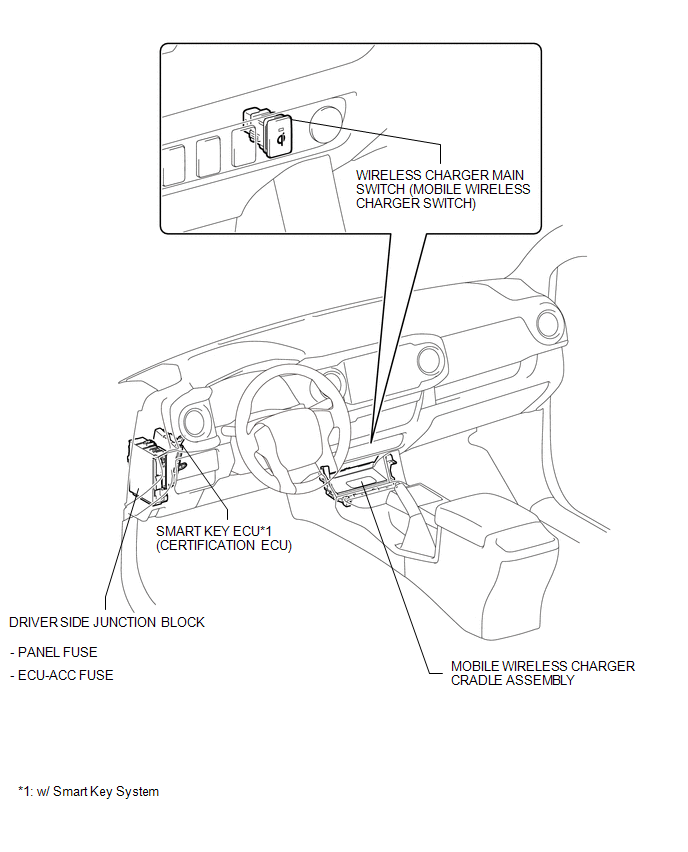
PARTS LOCATION
ILLUSTRATION
Related Tacoma materials
Listening to Bluetooth® audio
The Bluetooth® audio system enables the user to enjoy music played on a portable
player from the vehicle speakers via wireless communication.
Select “ Audio� on the “Select Audio Source� screen.
When a Bluetooth® device cannot be connected, check the connection status on
the “Bluet ...
Inside Vehicle
General Maintenance
GENERAL MAINTENANCE
CAUTION / NOTICE / HINT
Performing these maintenance checks on the vehicle is the owner's responsibility.
The owner may perform the maintenance or take the vehicle to a service center.
Check the parts of the vehicle described below on a daily basis ...
CD cannot be Inserted / Played or CD is Ejected Right After Insertion
PROCEDURE
1.
CHECK IF A PROPER CD IS INSERTED
(a) Make sure that the CD is an audio CD or a CD with an MP3, WMA or AAC file,
and that it is not deformed, flawed, stained, deteriorated or otherwise defective.
OK:
CD is normal.
HINT:
Translucent or uniq ...