PARTS LOCATION
ILLUSTRATION
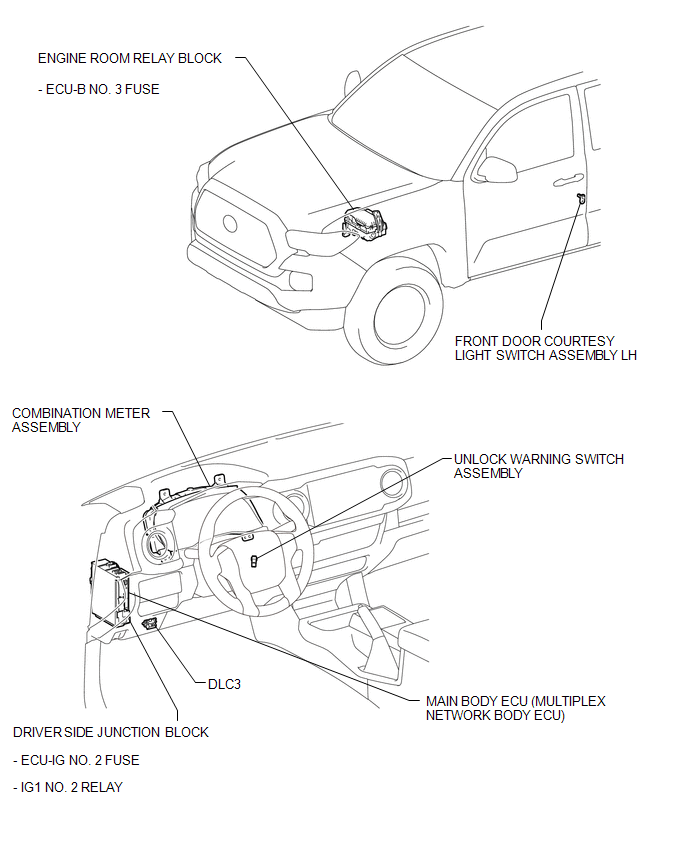
Related Tacoma materials
Registered Device cannot be Deleted
PROCEDURE
1.
DELETE OPERATION
(a) Check if a registered portable player can be deleted normally.
OK:
Registered portable player can be deleted normally.
OK
END
...
Open in Pump Motor Circuit (C1251)
DESCRIPTION
The motor relay (semiconductor relay) is built into the master cylinder solenoid
and drives the pump motor based on a signal from the skid control ECU (master cylinder
solenoid).
DTC No.
DTC Detecting Condition
Trouble Areas
...
High Power Supply Voltage Malfunction (C1417)
DESCRIPTION
If a malfunction is detected in the power supply circuit, the skid control ECU
(housed in the master cylinder solenoid) stores this DTC and the fail-safe function
prohibits ABS/VSC/TRAC operation.
This DTC is stored when the IG1 terminal voltage deviates from the DTC detection
co ...