INSTALLATION
PROCEDURE
1. INSTALL PROPELLER SHAFT WITH CENTER BEARING ASSEMBLY
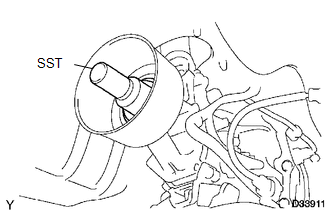
(a) Remove SST from the extension housing.
(b) Install the propeller shaft to the extension housing.
(c) Completely remove any oil or the like and clean the contact surfaces of the propeller shaft flange and differential flange.
|
(d) Align the matchmarks on the propeller shaft flange and differential flange. Text in Illustration
|
|
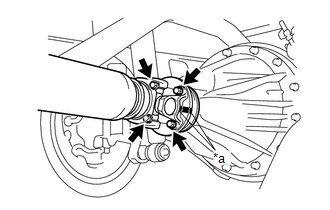
(e) for Differential Type BD20:
(1) Install the propeller shaft with the 4 bolts, 4 washers and 4 nuts.
Torque:
88 N·m {899 kgf·cm, 65 ft·lbf}
(f) for Differential Type BD22:
(1) Install the propeller shaft with the 4 washers and 4 nuts.
Torque:
88 N·m {899 kgf·cm, 65 ft·lbf}
|
(g) Temporarily install the center No. 2 support bearing assembly with the 2 bolts. Text in Illustration
HINT: Make sure the bearing is installed with the drain hole facing downwards. |
|
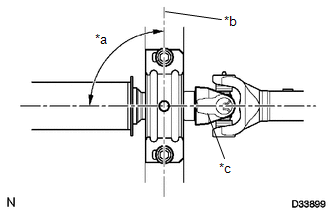
|
(h) Adjust the center No. 2 support bearing assembly. Text in Illustration
HINT:
|
|
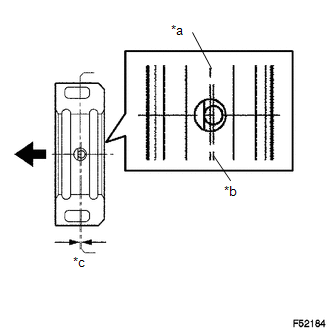
(i) Tighten the 2 bolts.
Torque:
36 N·m {369 kgf·cm, 27 ft·lbf}
2. INSPECT FOR TRANSMISSION OIL LEAK