COMPONENTS
ILLUSTRATION
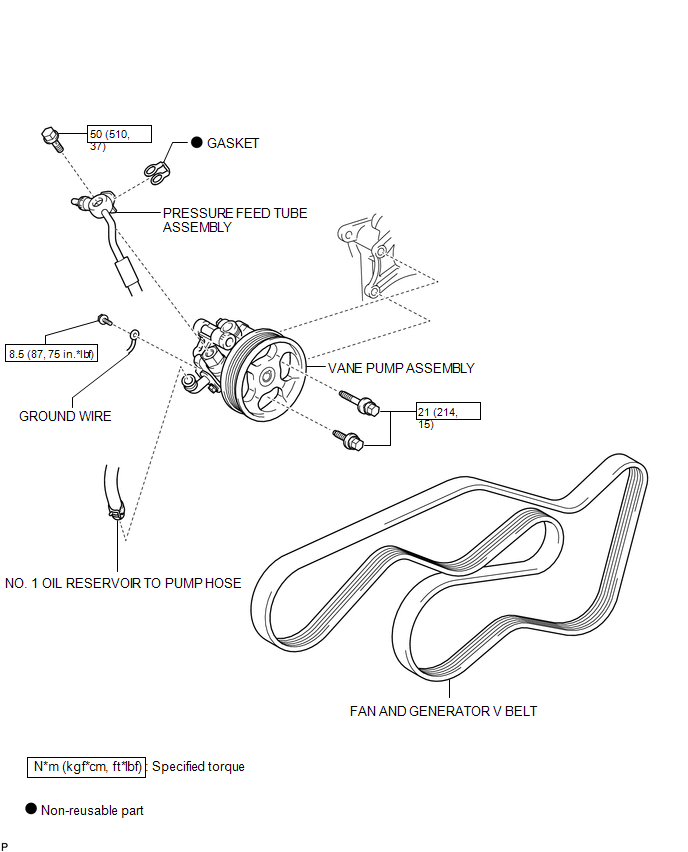
ILLUSTRATION
Related Tacoma materials
Power windows*
The power windows can be opened/closed using the following switches.
Driver’s power window switches
Closing
Opening
...
Amplifier Box Speaker Assembly
Components
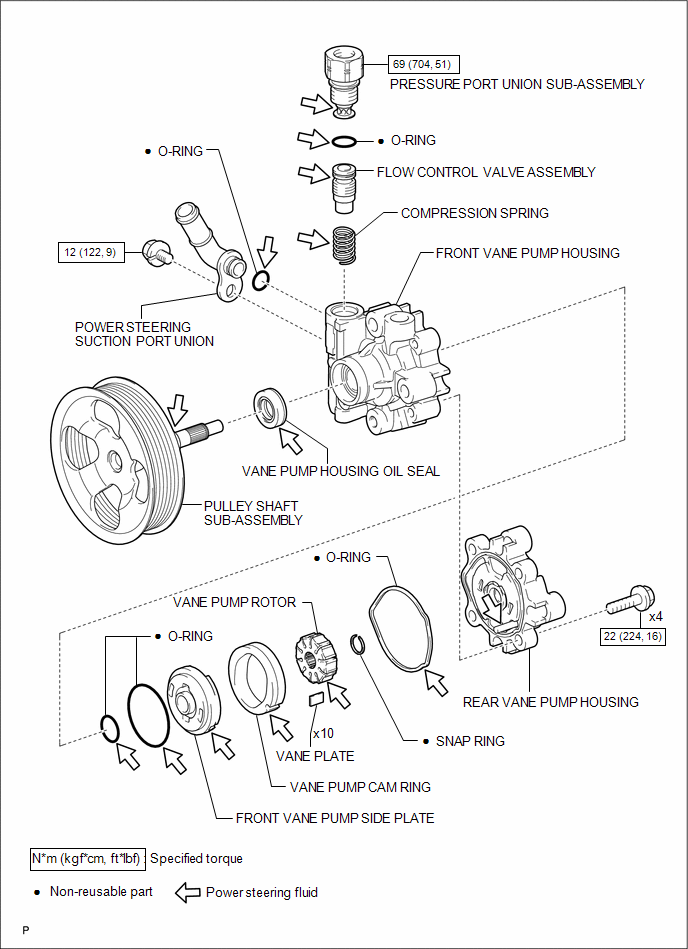
COMPONENTS
ILLUSTRATION
ILLUSTRATION
Removal
REMOVAL
PROCEDURE
1. PRECAUTION
NOTICE:
After turning the ignition switch ...
Installation
INSTALLATION
PROCEDURE
1. INSTALL REAR BRAKE DRUM SUB-ASSEMBLY
(a) Install a new drum gasket onto the rear brake drum.
(b) Install the rear brake drum.
2. ADJUST REAR DRUM BRAKE SHOE CLEARANCE
(a) Provisionally install the hub nuts.
(b) Remove the hole plug, and turn the adjuster to expand ...