OPERATION CHECK
1. CHECK WINDOW LOCK FUNCTION
(a) Turn the ignition switch ON.
(b) Press the window lock switch of the power window regulator master switch assembly.
HINT:
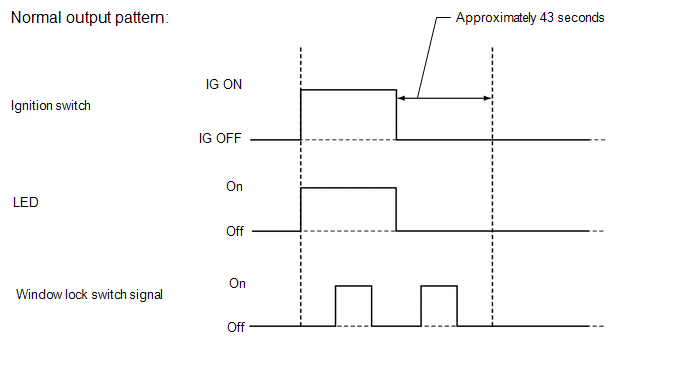
The illumination (LED) built into the switch knob of each seat does not turn off.
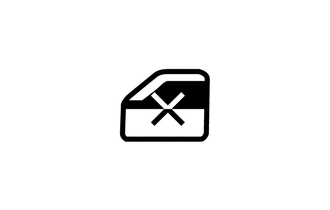
(c) Check that the power window for each seat except the driver seat can no longer be operated.
(d) When the window lock switch is pressed again, check that the power window for each seat except the driver seat can be operated.
2. CHECK MANUAL UP / DOWN FUNCTION
(a) Check that the driver door power window operates as follows:
|
Condition |
Master Switch |
Switch Operation |
Power Window |
|---|---|---|---|
|
Ignition switch ON |
Driver door |
Pulled up |
UP (Closes) |
|
Pushed halfway down |
DOWN (Opens) |
(b) Check that the front passenger door window and rear power windows operate as follows:
|
Condition |
Regulator Switch |
Switch Operation |
Power Window |
|---|---|---|---|
|
Front passenger door |
Pulled up |
UP (Closes) |
|
Pushed down |
DOWN (Opens) |
||
|
Rear LH door*1 |
Pulled up |
UP (Closes) |
|
|
Pushed down |
DOWN (Opens) |
||
|
Rear RH door*1 |
Pulled up |
UP (Closes) |
|
|
Pushed down |
DOWN (Opens) |
- *1: for Double Cab
(c) Check that the power window (for back door power window)* operates as follows:
|
Condition |
Regulator Switch |
Switch Operation |
Power Window |
|---|---|---|---|
|
Ignition switch ON |
Back Door |
Pulled up |
Closes |
|
Pushed down |
Opens |
- *: w/ Back Door Power Window
3. CHECK AUTO DOWN FUNCTION
(a) Check that the driver door power window operates as follows:
|
Condition |
Master Switch |
Switch Operation |
Power Window |
|---|---|---|---|
|
Driver door |
Pushed down (One touch operation) |
AUTO DOWN (Opens) |
4. CHECK REMOTE MANUAL UP / DOWN FUNCTION
(a) Check that the front passenger door window and rear power windows operate as follows:
|
Condition |
Master Switch |
Switch Operation |
Power Window |
|---|---|---|---|
|
Ignition switch ON |
Front passenger door |
Pulled up |
UP (Closes) |
|
Pushed down |
DOWN (Opens) |
||
|
Rear LH door*1 |
Pulled up |
UP (Closes) |
|
|
Pushed down |
DOWN (Opens) |
||
|
Rear RH door*1 |
Pulled up |
UP (Closes) |
|
|
Pushed down |
DOWN (Opens) |
- *1: for Double Cab
5. CHECK POWER WINDOW SWITCH LED ILLUMINATION
(a) When the ignition switch is turned from off to ON with the connectors connected, check that the illumination (LED) on the switch portion of the power window regulator switch assembly turns on.