PARTS LOCATION
ILLUSTRATION
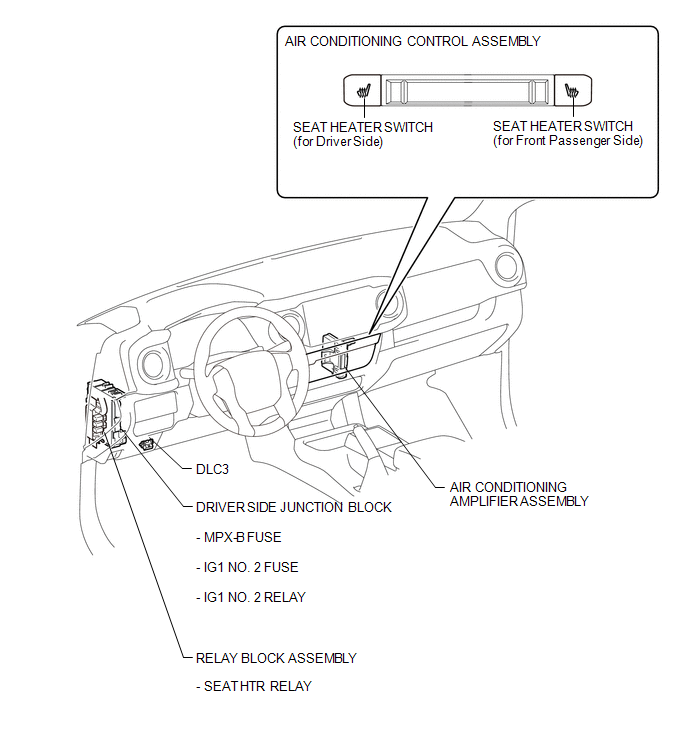
ILLUSTRATION
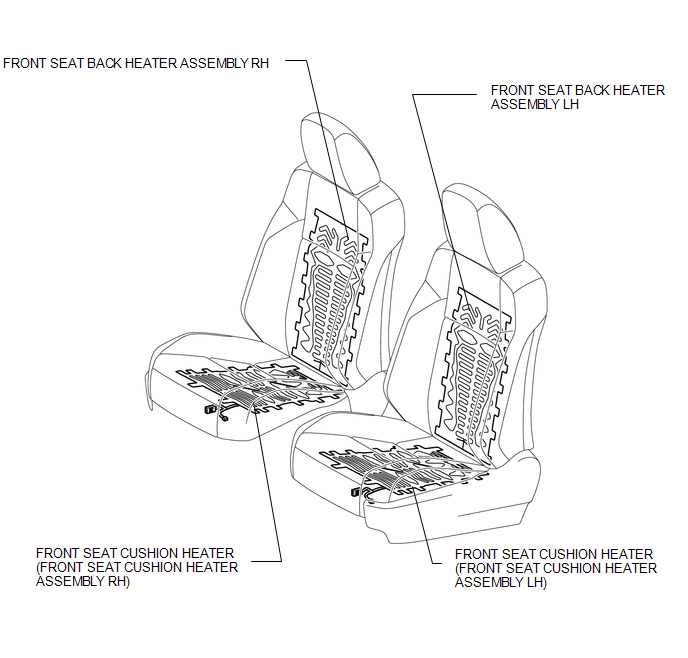
Related Tacoma materials
High Power Supply Voltage Malfunction (C1417)
DESCRIPTION
If a malfunction is detected in the power supply circuit, the skid control ECU
(brake actuator assembly) stores this DTC and the fail-safe function prohibits ABS
operation.
This DTC is stored when the +BS terminal voltage deviates from the DTC detection
condition due to a malfunc ...
Removal
REMOVAL
PROCEDURE
1. REMOVE NO. 2 ENGINE UNDER COVER SUB-ASSEMBLY (w/ Off Road Package)
2. REMOVE NO. 1 ENGINE UNDER COVER SUB-ASSEMBLY
3. DRAIN ENGINE COOLANT
4. REMOVE V-BANK COVER SUB-ASSEMBLY
...
Dtc Check / Clear
DTC CHECK / CLEAR
HINT:
DTCs which are stored in the ECM can be displayed on the Techstream.
The Techstream can display pending DTCs and current DTCs. Some DTCs
are not stored unless a malfunction is detected in consecutive driving cycles.
When a malfunction is detected in o ...