Components
COMPONENTS
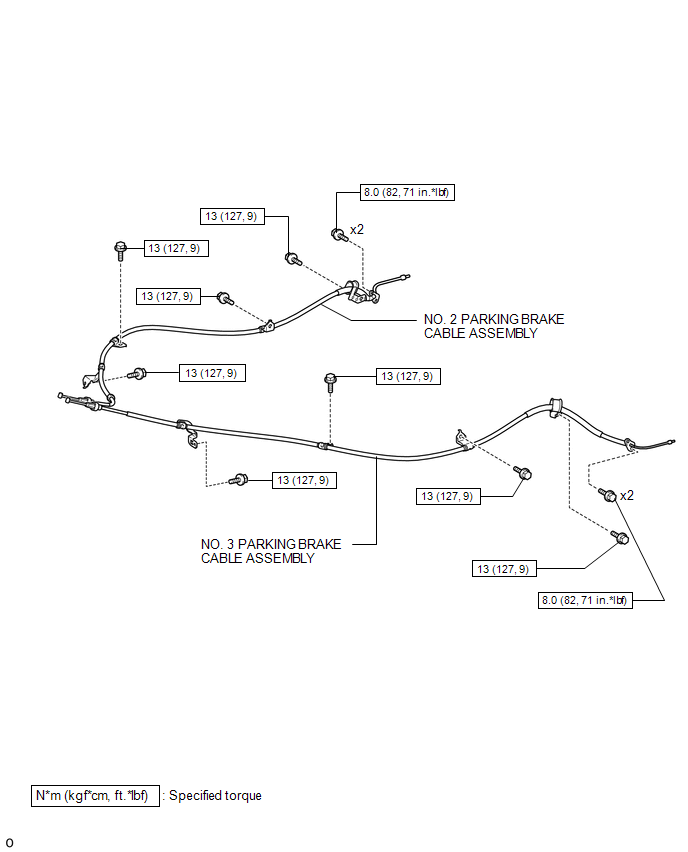
ILLUSTRATION
Removal
REMOVAL
PROCEDURE
1. DISCONNECT NO. 2 PARKING BRAKE SHOE ASSEMBLY WITH PARKING BRAKE SHOE LEVER
(See page .gif) )
)
2. REMOVE VOLTAGE INVERTER ASSEMBLY
(See page )
3. REMOVE NO. 2 PARKING BRAKE CABLE ASSEMBLY
|
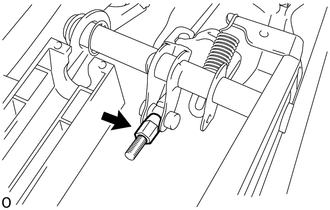
(a) Loosen the adjusting nut. |
|
|
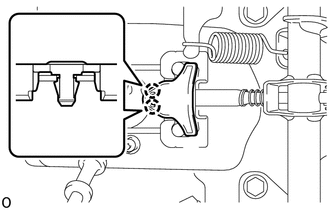
(b) Disengage the 2 claws to remove the parking cable end stopper. |
|
(c) Disconnect the No. 2 parking brake cable assembly from the No. 1 parking brake pull rod.
|
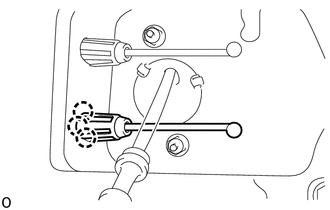
(d) Disengage the 3 claws of the No. 2 parking brake cable assembly and push the No. 2 parking brake cable assembly outside of vehicle slightly. |
|
|
(e) Remove the 2 bolts and disconnect the No. 2 parking brake cable assembly from the backing plate. |
|
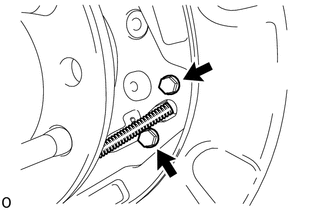
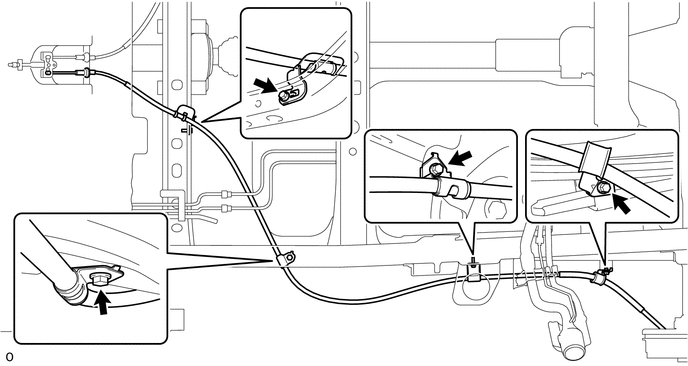
(f) Remove the 4 bolts and No. 2 parking brake cable assembly.
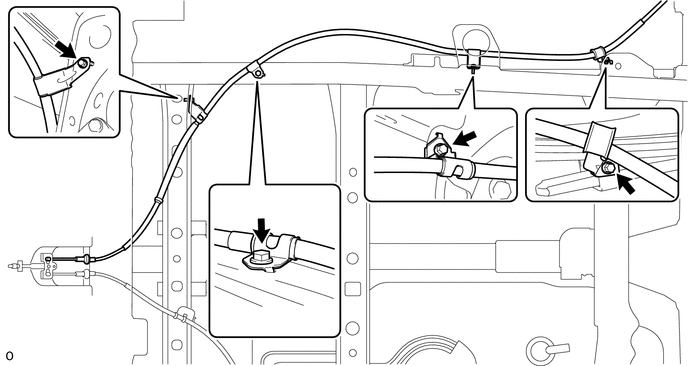
4. REMOVE NO. 3 PARKING BRAKE CABLE ASSEMBLY
|
(a) Loosen the adjusting nut. |
|
|
(b) Disengage the 2 claws to remove the parking cable end stopper. |
|
(c) Disconnect the No. 3 parking brake cable assembly from the No. 1 parking brake pull rod.
|
(d) Disengage the 3 claws of the No. 3 parking brake cable assembly and push the No. 3 parking brake cable assembly outside of vehicle slightly. |
|
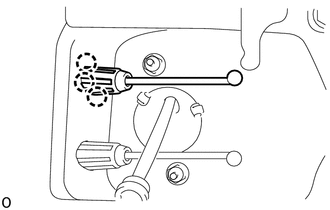
|
(e) Remove the 2 bolts and disconnect the No. 3 parking brake cable assembly from the backing plate. |
|
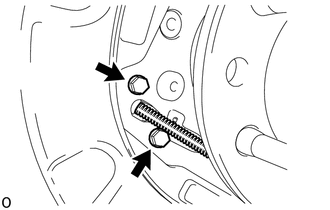
(f) Remove the 4 bolts and No. 3 parking brake cable assembly.
Installation
INSTALLATION
PROCEDURE
1. INSTALL NO. 3 PARKING BRAKE CABLE ASSEMBLY
(a) Install the No. 3 parking cable assembly with the 4 bolts.
Torque:
13 N·m {127 kgf·cm, 9 ft·lbf}
(b) Attach the claws of the No. 3 parking brake cable assembly.
(c) Connect the No. 3 parking brake cable assembly to the No. 1 parking brake pull rod.
(d) Engage the 2 claws to install the parking brake cable end stopper.
(e) Install the No. 3 parking brake cable assembly to the backing plate with the 2 bolts.
Torque:
8.0 N·m {82 kgf·cm, 71 in·lbf}
2. INSTALL NO. 2 PARKING BRAKE CABLE ASSEMBLY
(a) Install the No. 2 parking brake cable assembly with the 4 bolts.
Torque:
13 N·m {127 kgf·cm, 9 ft·lbf}
(b) Attach the claws of the No. 2 parking brake cable assembly.
(c) Connect the No. 2 parking brake cable assembly to the No. 1 parking brake pull rod.
(d) Engage the 2 claws to install the parking brake cable end stopper.
(e) Install the No. 2 parking brake cable assembly to the backing plate with the 2 bolts.
Torque:
8.0 N·m {82 kgf·cm, 71 in·lbf}
3. CONNECT NO. 2 PARKING BRAKE SHOE ASSEMBLY WITH PARKING BRAKE SHOE LEVER
(See page .gif) )
)
4. INSPECT PARKING BRAKE LEVER TRAVEL
5. ADJUST PARKING BRAKE LEVER TRAVEL
6. INSTALL VOLTAGE INVERTER ASSEMBLY
(See page )
7. INSTALL REAR WHEEL
Torque:
113 N·m {1152 kgf·cm, 83 ft·lbf}

