REMOVAL
CAUTION / NOTICE / HINT
HINT:
- Use the same procedure for the RH and LH sides.
- The procedure described below is for the LH side.
PROCEDURE
1. REMOVE FRONT DOOR GLASS RUN
.gif)
2. REMOVE FRONT DOOR GLASS OUTER WEATHERSTRIP ASSEMBLY
(See page
)
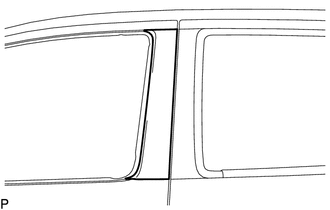
3. REMOVE NO. 1 BLACK OUT TAPE
(a) Using a heat light, heat the vehicle body and No. 1 black out tape.
Heating Temperature|
Item |
Temperature |
|---|---|
|
Vehicle Body and No. 1 Black Out Tape |
40 to 60°C (104 to 140°F) |
NOTICE:
Do not heat the vehicle body or No. 1 black out tape excessively.
|
(b) Pull back on one of the ends of the No. 1 black out tape to remove it. HINT: When pulling on the No. 1 black out tape, pull it parallel to the body. |
|