
Toyota Tacoma (2015-2018) Service Manual: Disassembly
DISASSEMBLY
PROCEDURE
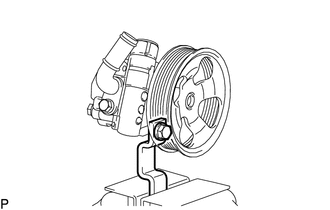
1. FIX VANE PUMP ASSEMBLY
|
(a) Using SST, fix the vane pump assembly in a vise. SST: 09630-00014 09631-00132 NOTICE: When using a vise, do not overtighten it. |
|
2. REMOVE POWER STEERING SUCTION PORT UNION
|
(a) Remove the bolt and suction port union. |
|
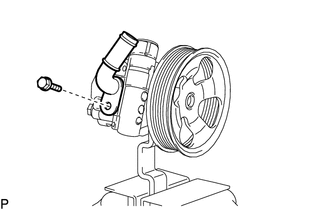
(b) Remove the O-ring from the suction port union.
3. REMOVE FLOW CONTROL VALVE ASSEMBLY
|
(a) Remove the pressure port union. |
|
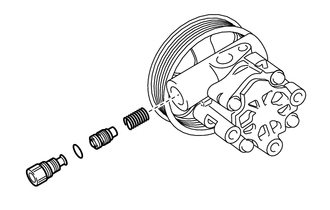
(b) Remove the O-ring from the pressure port union.
(c) Remove the flow control valve assembly and compression spring.
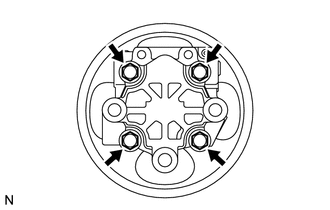
4. REMOVE REAR VANE PUMP HOUSING
|
(a) Remove the 4 bolts and rear vane pump housing from the front vane pump housing. |
|
|
(b) Using a screwdriver, remove the O-ring from the rear vane pump housing. |
|
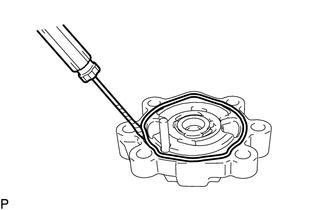
5. REMOVE PULLEY SHAFT SUB-ASSEMBLY
(a) Using a screwdriver, remove the snap ring from the pulley shaft sub-assembly.
|
(b) Remove the pulley shaft. NOTICE: Be careful not to drop or damage the pulley shaft. If damaged, replace it with a new one. |
|
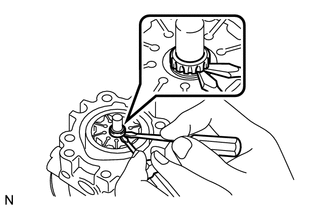
6. REMOVE VANE PUMP ROTOR
|
(a) Remove the 10 vane pump plates. NOTICE: Take care not to drop the vane pump plates. |
|
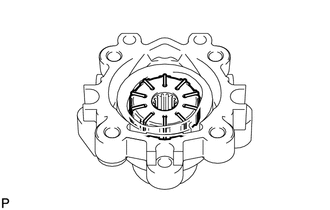
(b) Remove the vane pump rotor from the front vane pump housing.
7. REMOVE VANE PUMP CAM RING
|
(a) Remove the vane pump cam ring from the front vane pump housing. |
|
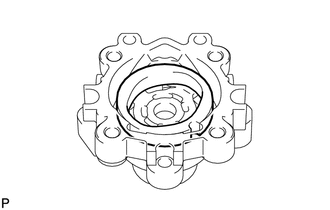
8. REMOVE FRONT VANE PUMP SIDE PLATE
|
(a) Remove the front vane pump side plate from the front vane pump housing. |
|
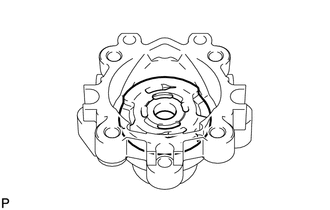
|
(b) Using a screwdriver, remove the O-ring from the front vane pump side plate. |
|
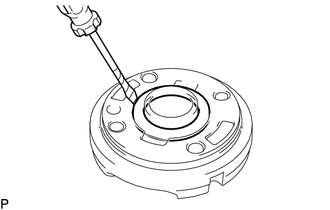
|
(c) Remove the O-ring from the front vane pump housing. |
|
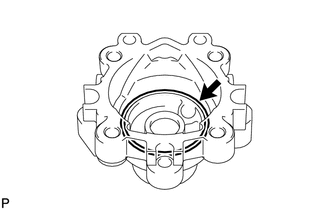
9. REMOVE VANE PUMP HOUSING OIL SEAL
|
(a) Using screwdriver, remove the vane pump housing oil seal. Text in Illustration
NOTICE: Be careful not to damage the front vane pump housing. |
|
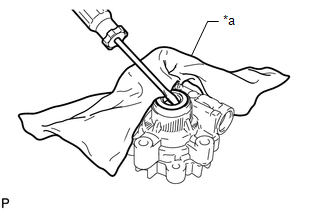
 Components
COMPONENTS
ILLUSTRATION
ILLUSTRATION
...
 Removal
REMOVAL
PROCEDURE
1. REMOVE NO. 2 ENGINE UNDER COVER SUB-ASSEMBLY (w/ Off Road Package)
2. REMOVE NO. 1 ENGINE UNDER COVER SUB-ASSEMBLY
3. REMOVE FAN AND GENERATOR V BELT
4. DRAIN POWER STEERI ...
Other materials:
Electronic Circuit Inspection Procedure
ELECTRONIC CIRCUIT INSPECTION PROCEDURE
1. BASIC INSPECTION
(a) WHEN MEASURING RESISTANCE OF ELECTRONIC PARTS
(1) Unless otherwise stated, all resistance measurements should be made at an
ambient temperature of 20°C (68°F). Resistance measurements may be inaccurate if
measured at high tempe ...
Steering wheel
The steering wheel can be adjusted to a comfortable position.
Hold the steering wheel and press the lever down.
Adjust to the ideal position by moving the steering wheel horizontally and vertically.
After adjustment, pull the lever up to secure the steering wheel.
CAUTION
■Caution whi ...
Acceleration Sensor Power Supply Voltage Malfunction (C1381)
DESCRIPTION
The skid control ECU (master cylinder solenoid) receives signals from the yaw
rate and acceleration (airbag sensor assembly) via the CAN communication system.
The airbag sensor assembly has a built-in yaw rate and acceleration sensor and
detects the vehicle's condition using 2 ...
