OPERATION CHECK
1. CHECK WIRELESS CHARGING SYSTEM OPERATION
(a) Turn the ignition switch ON (IG or ACC).
(b) Press the mobile wireless charger switch and check that the switch indicator light illuminates.
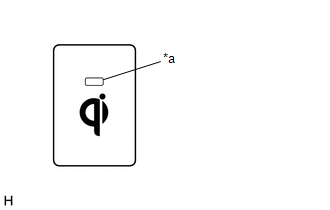 Text in Illustration
|
*a |
Switch Indicator Light |
(c) Place a rechargeable device on the charging area and check that the indicator light (amber) illuminates, indicating a charge is in progress.
.png) Text in Illustration
Text in Illustration
|
*a |
Indicator Light (Green) |
|
*b |
Indicator Light (Amber) |
|
*c |
Charging Area |
(d) Check that the indicator lights (amber and green) are illuminated when charging is complete.
HINT:
- Some phones, cases or cover type wireless chargers may not cause the green indicator to illuminate even though it is fully charged.
- Check the mobile device to confirm charge status.
HINT:
Please refer to precaution for the details (See page
.gif) ).
).